> ## Documentation Index
> Fetch the complete documentation index at: https://docs.famulor.io/llms.txt
> Use this file to discover all available pages before exploring further.
# Changelog
> New features and improvements, newest first
What shipped in Famulor 2.0, newest first. The list starts with the 2.0 launch on August 17, 2026.
### Famulor Loop, now in your browser
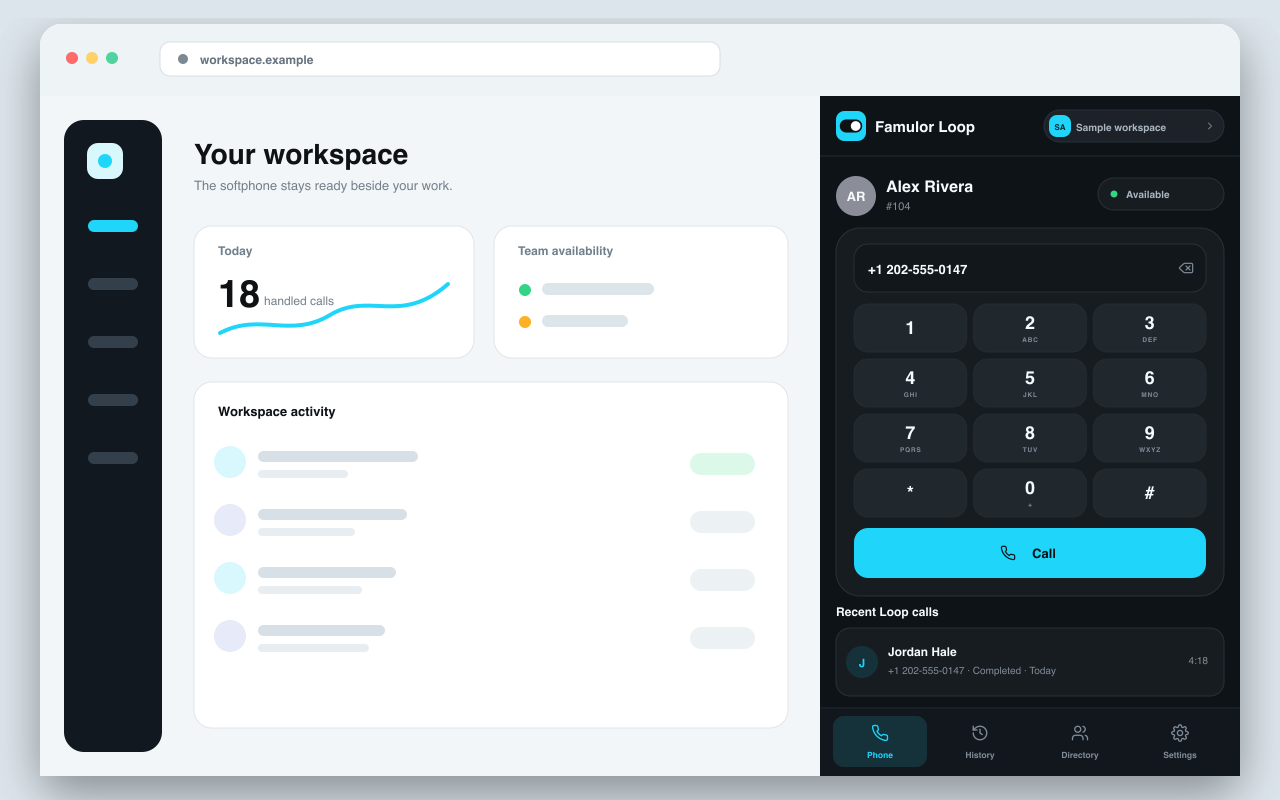
[Famulor Loop](/telephony/famulor-loop#chrome-extension) now has a Chrome side panel — your softphone, call history, and workspace switcher next to whatever tab you're working in, plus notifications for incoming, missed, and failed calls and agent activity. Pair it to your workspace with a 4-digit PIN instead of a password; the Loop page has the setup steps.
 ### Milian offers to top up your credit, right in the chat
If you run low on credit while chatting with [Milian](/assistants/milian-copilot), it now shows an **Add credits** card right there in the conversation — no need to go find Settings → Balance yourself.
### Assign a tool to several assistants at once
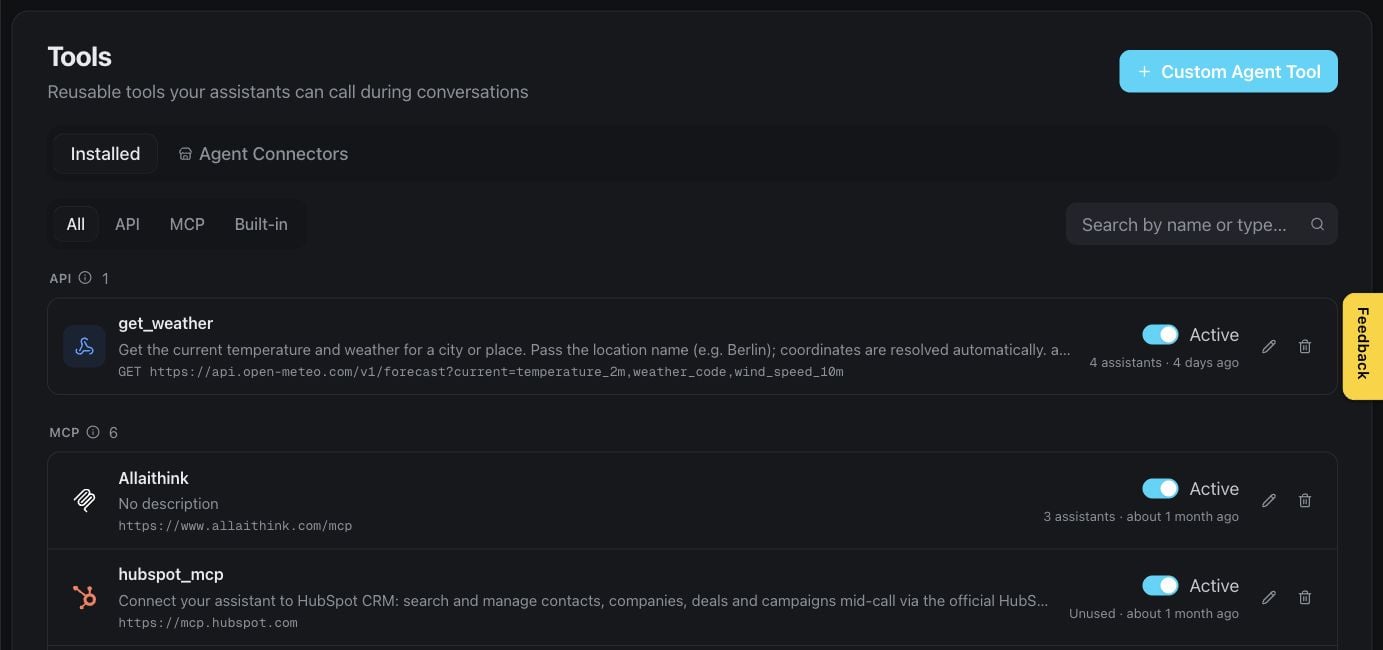
Select **Assign** on any tool in [Agent Tools](/assistants/agent-tools#installed) to see and change which assistants use it — search the list, tick the ones you want, save. No more opening each assistant to add the same tool one at a time.
### Milian offers to top up your credit, right in the chat
If you run low on credit while chatting with [Milian](/assistants/milian-copilot), it now shows an **Add credits** card right there in the conversation — no need to go find Settings → Balance yourself.
### Assign a tool to several assistants at once
Select **Assign** on any tool in [Agent Tools](/assistants/agent-tools#installed) to see and change which assistants use it — search the list, tick the ones you want, save. No more opening each assistant to add the same tool one at a time.
 ### Assistants can call an automation mid-conversation
An assistant can now trigger an [automation](/automations/overview#calling-an-automation-from-a-conversation) while it's still talking to someone, not only after the conversation ends. Describe in plain language when it should run, switch that automation to Live, and the assistant decides in the moment to use it — across voice, web chat, messaging, and email.
### Assistants can look up current information on the web
A new Perplexity research connector in [Agent Connectors](/assistants/agent-tools#agent-connectors) lets an assistant fetch up-to-date answers during a call or a chat, beyond what's already in its knowledge base. Install it with your own Perplexity API key, pick the model your account offers, and optionally set a system prompt for tone, language, and answer format — then assign the tool to as many assistants as you like.
### Workspace-scoped API keys
Issue a Public API key scoped to a single [workspace](/settings/workspaces#rest-api), with its own permissions and expiry, instead of only account-wide keys.
### Assistants can call an automation mid-conversation
An assistant can now trigger an [automation](/automations/overview#calling-an-automation-from-a-conversation) while it's still talking to someone, not only after the conversation ends. Describe in plain language when it should run, switch that automation to Live, and the assistant decides in the moment to use it — across voice, web chat, messaging, and email.
### Assistants can look up current information on the web
A new Perplexity research connector in [Agent Connectors](/assistants/agent-tools#agent-connectors) lets an assistant fetch up-to-date answers during a call or a chat, beyond what's already in its knowledge base. Install it with your own Perplexity API key, pick the model your account offers, and optionally set a system prompt for tone, language, and answer format — then assign the tool to as many assistants as you like.
### Workspace-scoped API keys
Issue a Public API key scoped to a single [workspace](/settings/workspaces#rest-api), with its own permissions and expiry, instead of only account-wide keys.
 ### Start from a ready-made assistant, not a blank page
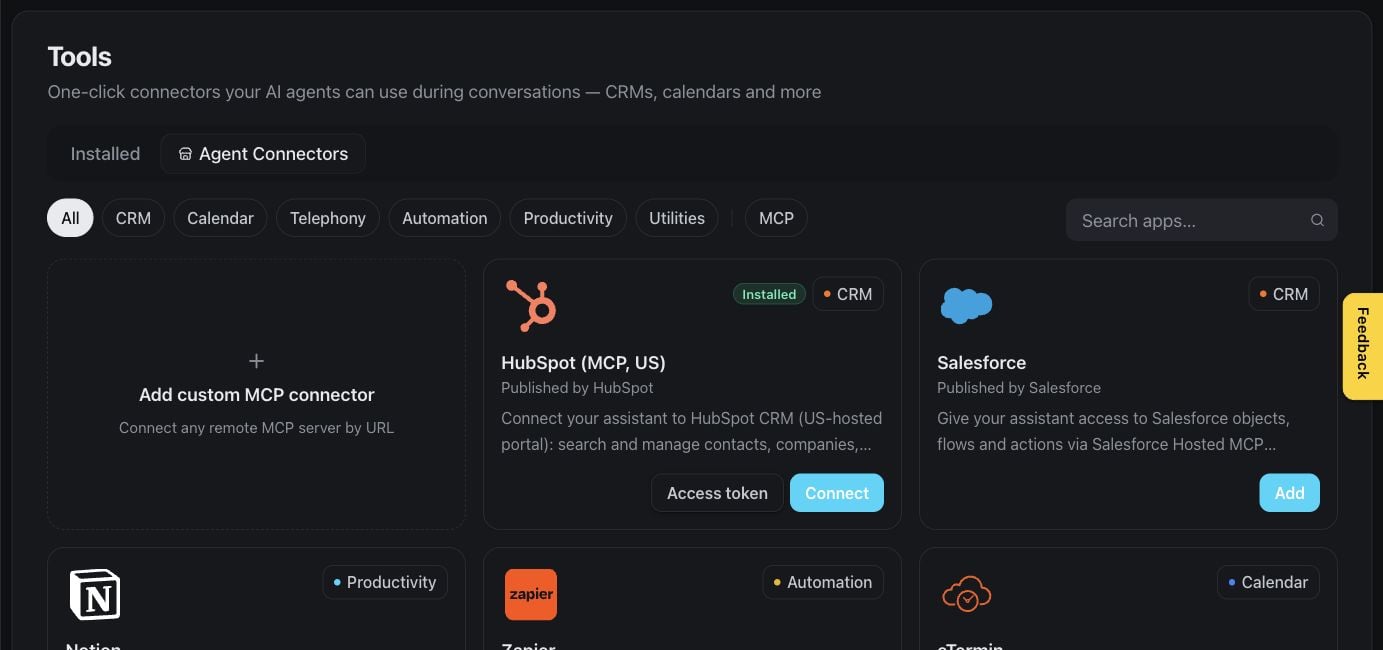
The Create assistant gallery now includes complete flow blueprints for common use cases, not just prompt templates. Each one shows what it's built to do, which surfaces it works on, and anything you still need to finish before it goes live. See [Start from a use-case template](/flow-builder/overview#start-from-a-use-case-template).
### Teach an assistant your key terms
Add up to 100 product names, brand terms, and other key vocabulary so speech recognition transcribes them correctly. Open **Assistant settings → Voice → [Speech recognition](/assistants/models-and-voices#speech-recognition-glossary)** to build the glossary — it's a plan feature, and the settings appear only for the engine modes and speech-recognition providers that support it. An optional **Detect key terms automatically (Beta)** toggle can pick up further terms for the current call.
### Start from a ready-made assistant, not a blank page
The Create assistant gallery now includes complete flow blueprints for common use cases, not just prompt templates. Each one shows what it's built to do, which surfaces it works on, and anything you still need to finish before it goes live. See [Start from a use-case template](/flow-builder/overview#start-from-a-use-case-template).
### Teach an assistant your key terms
Add up to 100 product names, brand terms, and other key vocabulary so speech recognition transcribes them correctly. Open **Assistant settings → Voice → [Speech recognition](/assistants/models-and-voices#speech-recognition-glossary)** to build the glossary — it's a plan feature, and the settings appear only for the engine modes and speech-recognition providers that support it. An optional **Detect key terms automatically (Beta)** toggle can pick up further terms for the current call.
 ### Ten new inboxes your assistant can answer in (Beta)
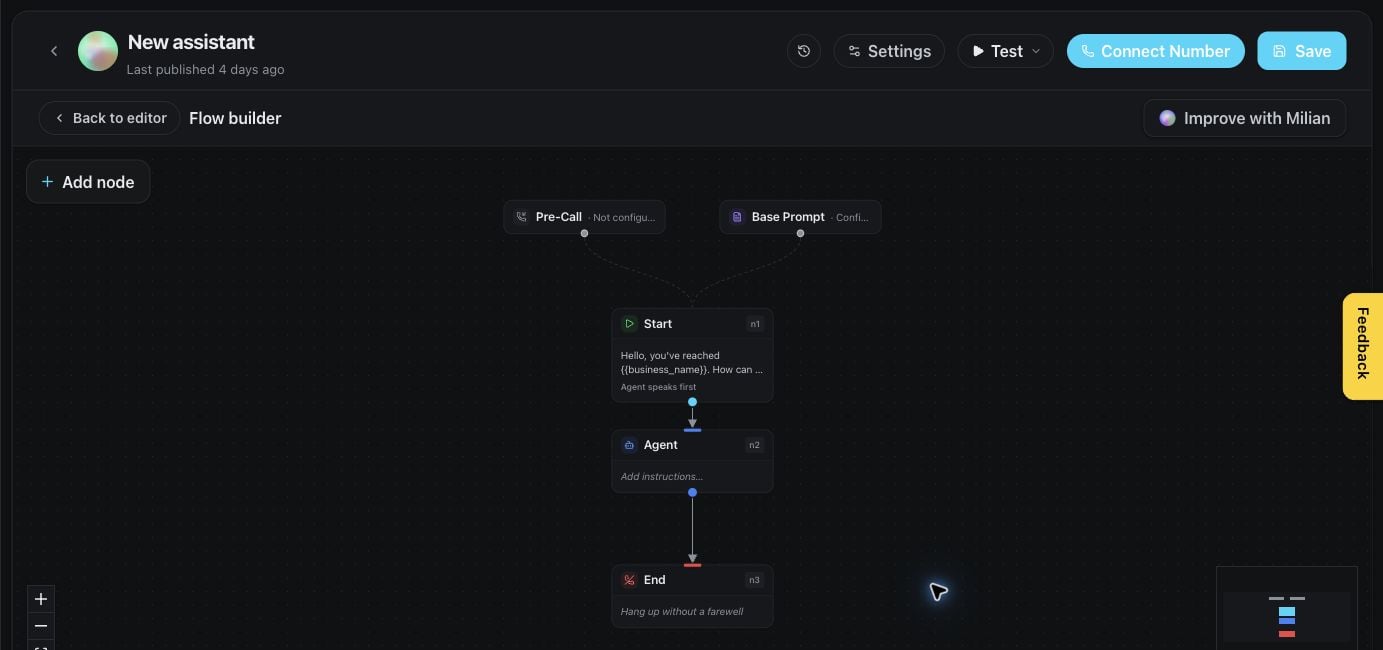
Freshdesk, Gmail, Outlook, Zendesk, ServiceNow, Intercom, Zoho Mail, AgentMail, Instagram, and Zulip join [WhatsApp, Telegram, Slack, and the rest of messaging](/channels/messaging#beta-connectors) — sign in to the account once and your assistant reads and replies automatically. Gmail and Outlook can watch the Inbox, the whole mailbox, or a single label or folder, and either send replies straight away or leave a draft for you to review. Turn on **Beta Features** under **Settings → Workspace** to see them.
### Three more ways to keep your knowledge base current (Beta)
Sync a [knowledge base](/assistants/knowledge-base#cloud-drive-sync) from Box, Dropbox, or SharePoint now too, alongside the existing Google Drive and OneDrive sources — kept up to date automatically, the same way a website source is. Cloud drive sync is Beta and carries its own plan feature.
### Automations can now react to every message, not just the first
An automation triggered by an inbound message used to fire only on the first one. It can now trigger on [every inbound message](/automations/overview#triggers), so a workflow can keep responding as the conversation continues.
### Ten new inboxes your assistant can answer in (Beta)
Freshdesk, Gmail, Outlook, Zendesk, ServiceNow, Intercom, Zoho Mail, AgentMail, Instagram, and Zulip join [WhatsApp, Telegram, Slack, and the rest of messaging](/channels/messaging#beta-connectors) — sign in to the account once and your assistant reads and replies automatically. Gmail and Outlook can watch the Inbox, the whole mailbox, or a single label or folder, and either send replies straight away or leave a draft for you to review. Turn on **Beta Features** under **Settings → Workspace** to see them.
### Three more ways to keep your knowledge base current (Beta)
Sync a [knowledge base](/assistants/knowledge-base#cloud-drive-sync) from Box, Dropbox, or SharePoint now too, alongside the existing Google Drive and OneDrive sources — kept up to date automatically, the same way a website source is. Cloud drive sync is Beta and carries its own plan feature.
### Automations can now react to every message, not just the first
An automation triggered by an inbound message used to fire only on the first one. It can now trigger on [every inbound message](/automations/overview#triggers), so a workflow can keep responding as the conversation continues.
 ### Milian is now AI-native
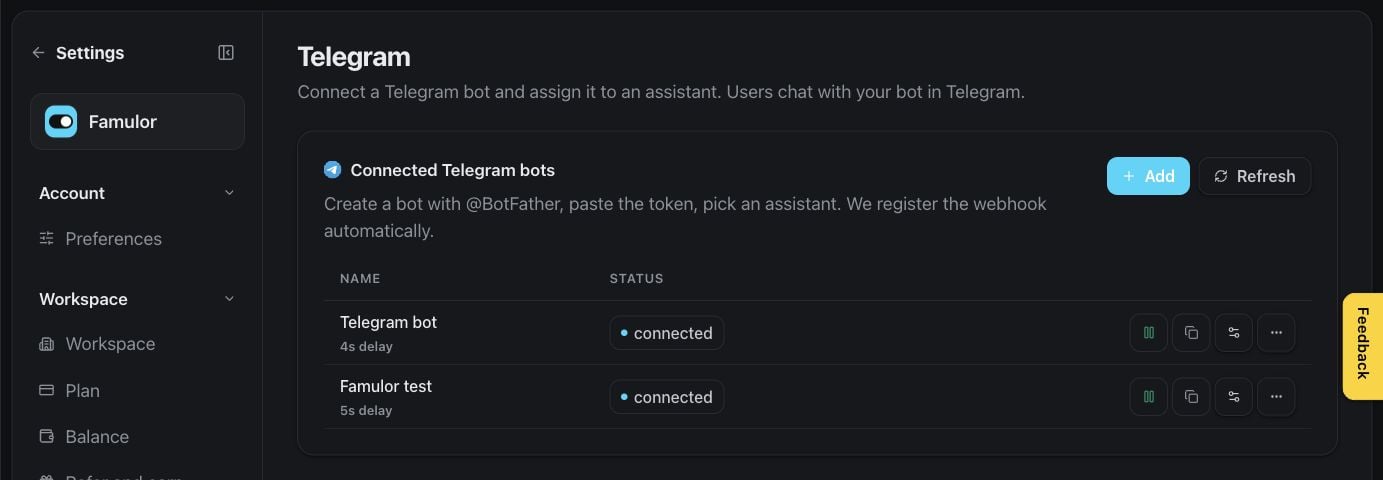
[Milian](/assistants/milian-copilot), the workspace copilot, can now do more than answer questions — it analyzes your assistants and calls, connects accounts and data sources, builds automations from scratch, and tests them before anything goes live. Most of what you used to click through by hand in the dashboard, you can now just ask Milian to do in chat.
### Missions — recurring tasks in the background
[Milian Missions](/assistants/routines) are scheduled tasks Milian runs for you on a recurring schedule or on demand, with no browser tab required to stay open. New **Missions** entry in the sidebar.
### Rate Milian's answers
Hover over any Milian response to rate it with a thumbs up or down. After a helpful interaction, Milian may also nudge you to leave Famulor a review.
### Milian is now AI-native
[Milian](/assistants/milian-copilot), the workspace copilot, can now do more than answer questions — it analyzes your assistants and calls, connects accounts and data sources, builds automations from scratch, and tests them before anything goes live. Most of what you used to click through by hand in the dashboard, you can now just ask Milian to do in chat.
### Missions — recurring tasks in the background
[Milian Missions](/assistants/routines) are scheduled tasks Milian runs for you on a recurring schedule or on demand, with no browser tab required to stay open. New **Missions** entry in the sidebar.
### Rate Milian's answers
Hover over any Milian response to rate it with a thumbs up or down. After a helpful interaction, Milian may also nudge you to leave Famulor a review.
 ### Test with a real phone call, not just text
[Simulation tests](/assistants/simulations) can now run as an actual voice call, not only a text conversation. A simulated caller — with its own voice from the voice library — calls your live, unmodified assistant, so you hear exactly what a real customer would experience before you ship a change. Two test modes: fast, text-based **Chat**, or full audio round-trip **Voice**. Every test now also scores turn-by-turn response latency and whether the assistant called the tools it was supposed to.
### Workspace Audit Log — see who changed what
Team accounts can now open **Settings → Data → Audit Log** for a complete history of changes across the workspace: who changed what, and when, down to the exact field. Searchable, sortable, and paginated.
### Multiple workspaces per account
You can now create more than one workspace under a single account — useful for keeping separate brands, clients, or departments cleanly apart without juggling logins. Availability depends on your plan.
### GoHighLevel joins the calendar-booking providers
Your assistant can check availability and book, cancel, or reschedule appointments directly in GoHighLevel calendars — the same booking experience already available for Cal.com, Calendly, and other supported providers.
### Call endings now match the assistant's language
When a call ends, the assistant's closing line now speaks in the assistant's own configured language instead of always defaulting to English.
### More resilient voice calls
Calls now recover more gracefully from a rare voice-provider hiccup instead of ending abruptly, keeping the conversation going for the caller.
### Refer and Earn — get rewarded for every workspace you bring in
Invite other businesses to Famulor and both sides get rewarded once the workspace you referred makes its first payment — up to 10 rewarded referrals per workspace. Copy your personal referral link from **Settings → Workspace → Refer and earn**; rewards land automatically, no manual claiming. Currently available on Famulor-branded workspaces — see [Refer and Earn](/billing/referrals).
### A faster way to build and test assistants
* **Squad view** — see every hand-off route between transfer-linked assistants as a visual graph.
* **Latency waterfall** — a step-by-step breakdown of where time goes in a test call.
* **Live tool progress** — watch tool calls execute in real time instead of waiting for the result.
* **One-click simulate from a real call** — turn any past call straight into a repeatable test.
### Customizable web widget launcher
Pick your own launcher icon and a localized label for your web widget, with a roomier chat panel on desktop screens.
### Famulor 2.0 is live
After a public beta, **Famulor 2.0** is now live for everyone — a rebuilt platform with a faster, cleaner interface, and more capabilities landing since (see above).
### Moving from Famulor 1.0? We bring your setup with you
The built-in [migration](/settings/famulor-migration) now carries over more of your existing setup automatically — your 1.0 folders and labels arrive as assistant tags, and your Gmail-send and Airtable automation actions are recreated as native Famulor 2.0 actions. Start it any time from Settings, or ask Milian to move things over for you.
Looking for older releases? See the [Famulor 1.0 changelog](/changelog-v1).
### Test with a real phone call, not just text
[Simulation tests](/assistants/simulations) can now run as an actual voice call, not only a text conversation. A simulated caller — with its own voice from the voice library — calls your live, unmodified assistant, so you hear exactly what a real customer would experience before you ship a change. Two test modes: fast, text-based **Chat**, or full audio round-trip **Voice**. Every test now also scores turn-by-turn response latency and whether the assistant called the tools it was supposed to.
### Workspace Audit Log — see who changed what
Team accounts can now open **Settings → Data → Audit Log** for a complete history of changes across the workspace: who changed what, and when, down to the exact field. Searchable, sortable, and paginated.
### Multiple workspaces per account
You can now create more than one workspace under a single account — useful for keeping separate brands, clients, or departments cleanly apart without juggling logins. Availability depends on your plan.
### GoHighLevel joins the calendar-booking providers
Your assistant can check availability and book, cancel, or reschedule appointments directly in GoHighLevel calendars — the same booking experience already available for Cal.com, Calendly, and other supported providers.
### Call endings now match the assistant's language
When a call ends, the assistant's closing line now speaks in the assistant's own configured language instead of always defaulting to English.
### More resilient voice calls
Calls now recover more gracefully from a rare voice-provider hiccup instead of ending abruptly, keeping the conversation going for the caller.
### Refer and Earn — get rewarded for every workspace you bring in
Invite other businesses to Famulor and both sides get rewarded once the workspace you referred makes its first payment — up to 10 rewarded referrals per workspace. Copy your personal referral link from **Settings → Workspace → Refer and earn**; rewards land automatically, no manual claiming. Currently available on Famulor-branded workspaces — see [Refer and Earn](/billing/referrals).
### A faster way to build and test assistants
* **Squad view** — see every hand-off route between transfer-linked assistants as a visual graph.
* **Latency waterfall** — a step-by-step breakdown of where time goes in a test call.
* **Live tool progress** — watch tool calls execute in real time instead of waiting for the result.
* **One-click simulate from a real call** — turn any past call straight into a repeatable test.
### Customizable web widget launcher
Pick your own launcher icon and a localized label for your web widget, with a roomier chat panel on desktop screens.
### Famulor 2.0 is live
After a public beta, **Famulor 2.0** is now live for everyone — a rebuilt platform with a faster, cleaner interface, and more capabilities landing since (see above).
### Moving from Famulor 1.0? We bring your setup with you
The built-in [migration](/settings/famulor-migration) now carries over more of your existing setup automatically — your 1.0 folders and labels arrive as assistant tags, and your Gmail-send and Airtable automation actions are recreated as native Famulor 2.0 actions. Start it any time from Settings, or ask Milian to move things over for you.
Looking for older releases? See the [Famulor 1.0 changelog](/changelog-v1).