> ## Documentation Index
> Fetch the complete documentation index at: https://docs.famulor.io/llms.txt
> Use this file to discover all available pages before exploring further.
# Version History
> Understand how flow versioning works in Famulor automation. Track changes, restore previous versions and safely iterate on AI voice agent workflows.
famulor.de keeps track of all published flows and their versions. Here’s how it works:
1. You can edit a flow as many times as you want in **draft** mode.
2. Once you're done with your changes, you can publish it.
3. The published flow will be **immutable** and cannot be edited.
4. If you try to edit a published flow, Famulor.io will create a new **draft** if there is none and copy the **published** version to the new version.
This means you can always go back to a previous version and edit the flow in draft mode without affecting the published version.
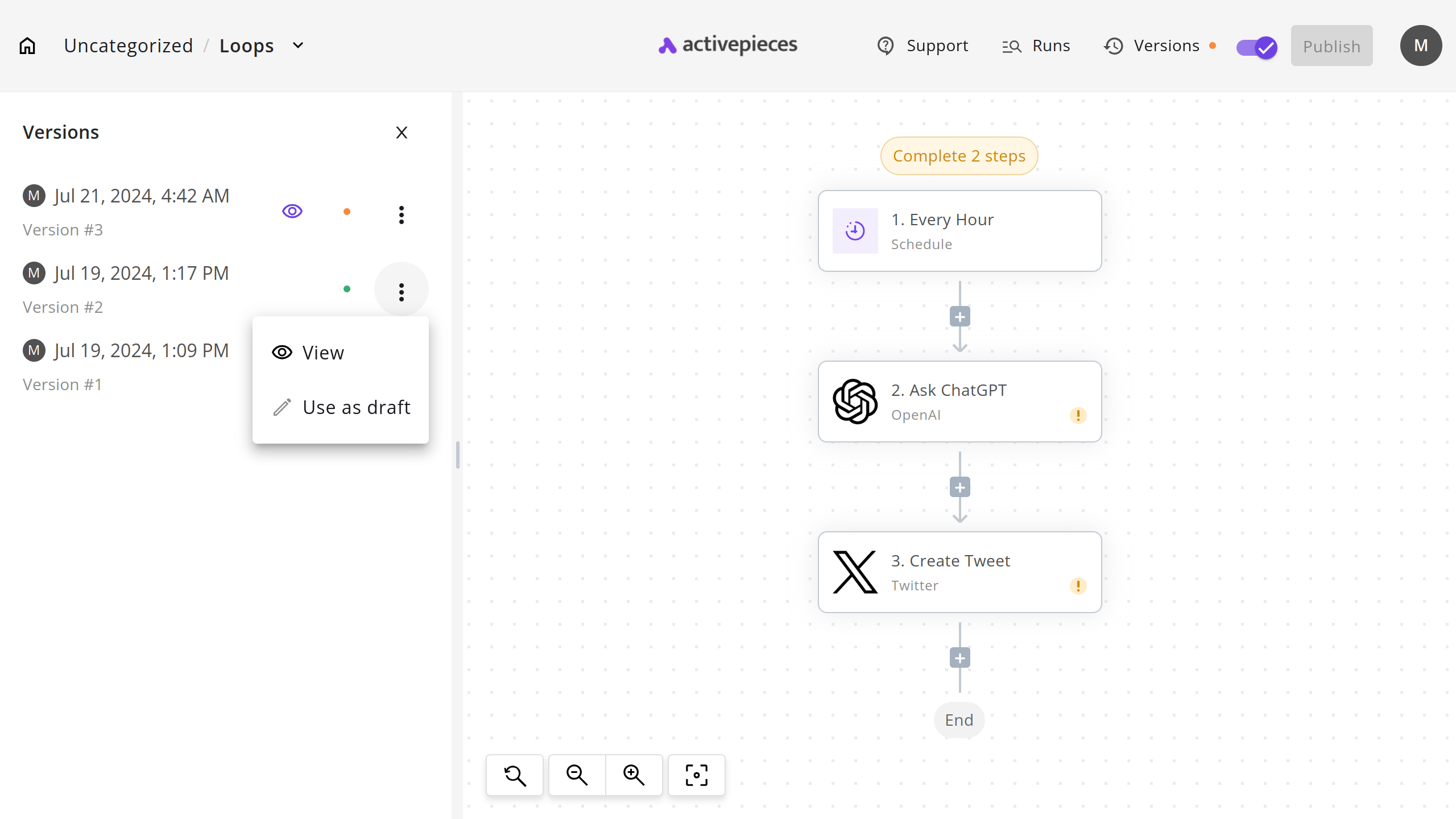 As you can see in the following screenshot, the yellow dot refers to DRAFT and the green dot refers to PUBLISHED.
Related pages: [Introduction](/en/automation-platform/introduction) and [Building Flows](/en/automation-platform/building-flows), and [Debugging Runs](/en/automation-platform/debugging-runs).
As you can see in the following screenshot, the yellow dot refers to DRAFT and the green dot refers to PUBLISHED.
Related pages: [Introduction](/en/automation-platform/introduction) and [Building Flows](/en/automation-platform/building-flows), and [Debugging Runs](/en/automation-platform/debugging-runs).