> ## Documentation Index
> Fetch the complete documentation index at: https://docs.famulor.io/llms.txt
> Use this file to discover all available pages before exploring further.
# Auto Top-up
> Automatically buy call minutes and chat credits when your balance runs low
# Auto Top-up
Auto Top-up automatically purchases credits when your balance gets low, so your assistants never stop mid-campaign. You receive **email alerts** and **dashboard notifications** whenever a threshold is hit or a top-up runs.
Open it at [app.famulor.de/credits](https://app.famulor.de/credits) — or in the dashboard, click **Add credits** in the top-left sidebar (next to your plan).
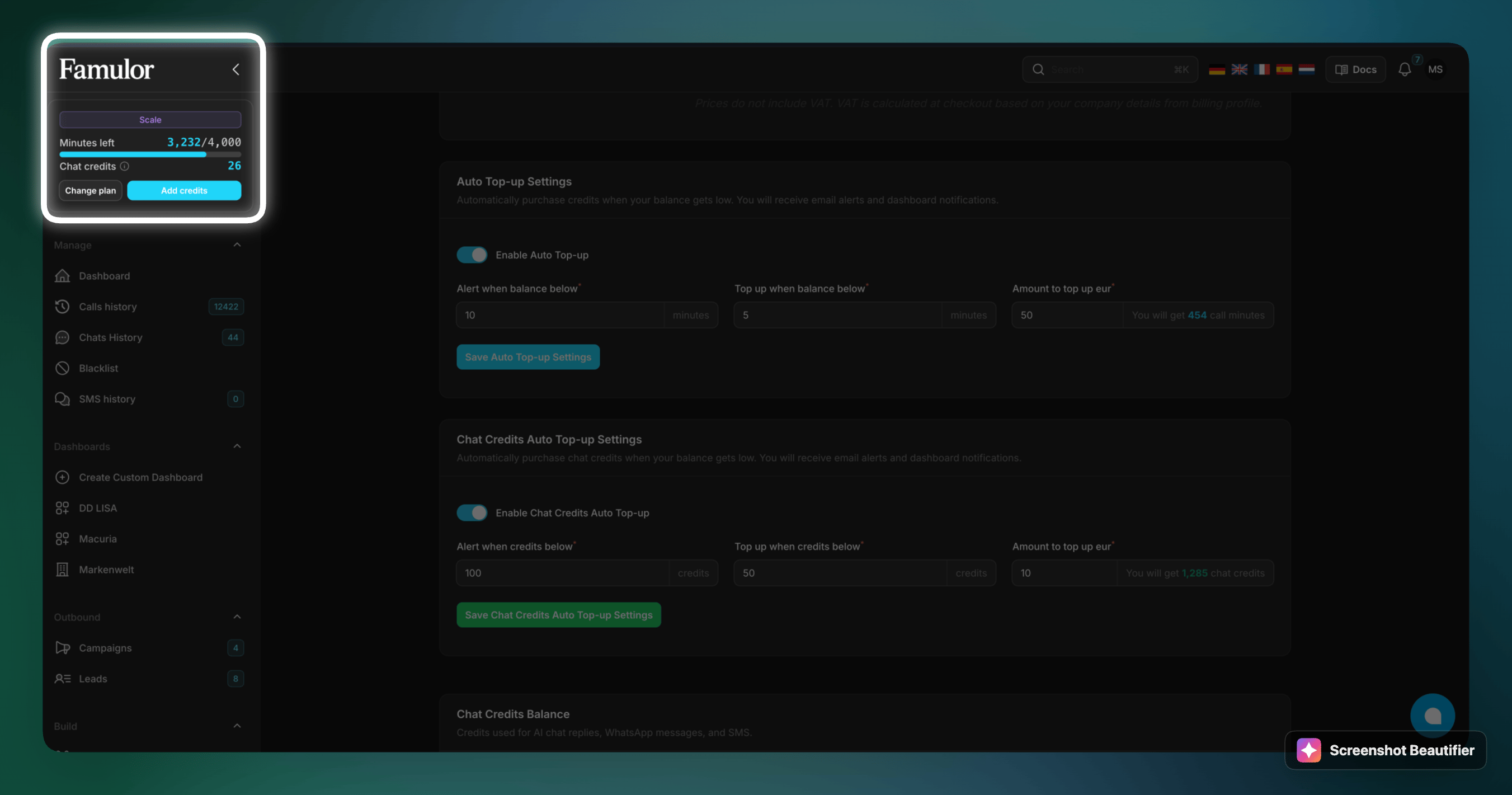 There are two independent settings: one for **call minutes** and one for **chat credits**.
***
## Call minutes Auto Top-up
Keeps your phone-call balance topped up.
There are two independent settings: one for **call minutes** and one for **chat credits**.
***
## Call minutes Auto Top-up
Keeps your phone-call balance topped up.
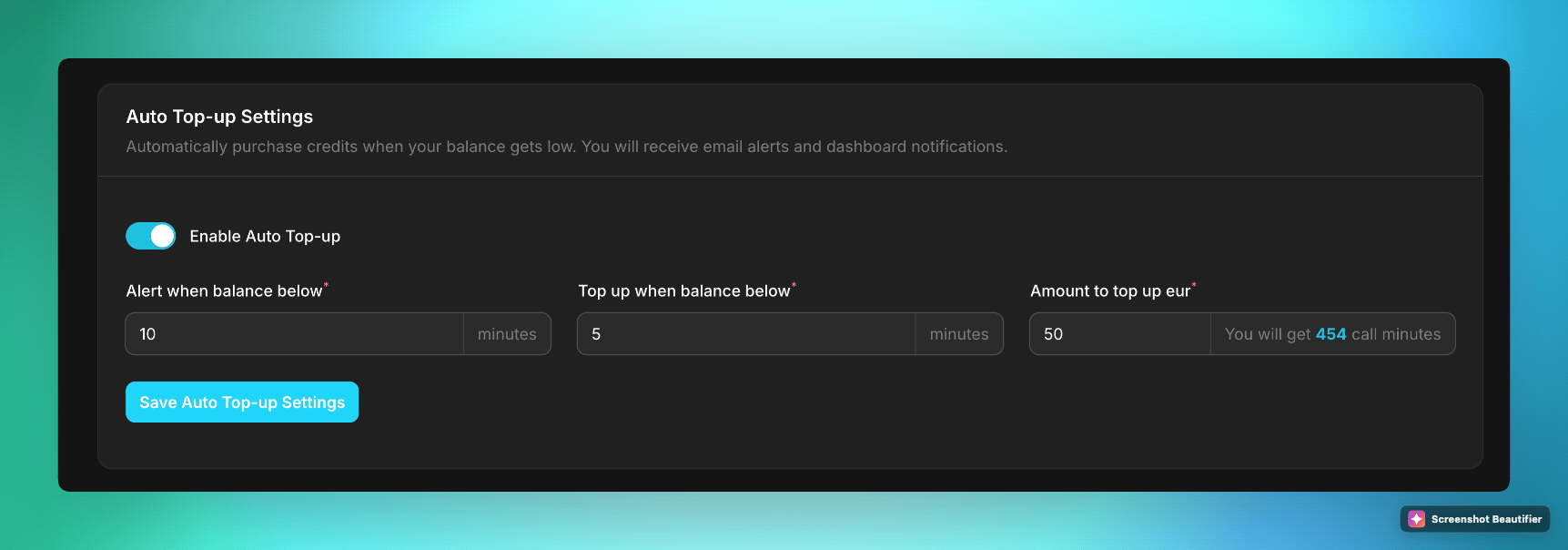 | Field | Meaning | Example |
| ----------------------------- | -------------------------------------------------------------------------------------------- | --------------------------- |
| **Enable Auto Top-up** | Turns the automation on or off. | On |
| **Alert when balance below** | Sends an email + dashboard alert when minutes drop below this value. | `10` minutes |
| **Top up when balance below** | Triggers an automatic purchase once minutes fall below this value. | `5` minutes |
| **Amount to top up (EUR)** | How much to charge per top-up. The page shows how many call minutes you get for that amount. | `50` € → `454` call minutes |
Click **Save Auto Top-up Settings** to apply.
Auto Top-up for **phone calls only works for campaigns (outbound)** — it does **not** trigger for inbound calls. Keep enough balance for inbound traffic, or rely on the alert threshold to top up manually.
***
## Chat Credits Auto Top-up
Keeps your **chat credits** topped up — used for AI chat replies, WhatsApp messages and SMS.
| Field | Meaning | Example |
| ----------------------------- | -------------------------------------------------------------------------------------------- | --------------------------- |
| **Enable Auto Top-up** | Turns the automation on or off. | On |
| **Alert when balance below** | Sends an email + dashboard alert when minutes drop below this value. | `10` minutes |
| **Top up when balance below** | Triggers an automatic purchase once minutes fall below this value. | `5` minutes |
| **Amount to top up (EUR)** | How much to charge per top-up. The page shows how many call minutes you get for that amount. | `50` € → `454` call minutes |
Click **Save Auto Top-up Settings** to apply.
Auto Top-up for **phone calls only works for campaigns (outbound)** — it does **not** trigger for inbound calls. Keep enough balance for inbound traffic, or rely on the alert threshold to top up manually.
***
## Chat Credits Auto Top-up
Keeps your **chat credits** topped up — used for AI chat replies, WhatsApp messages and SMS.
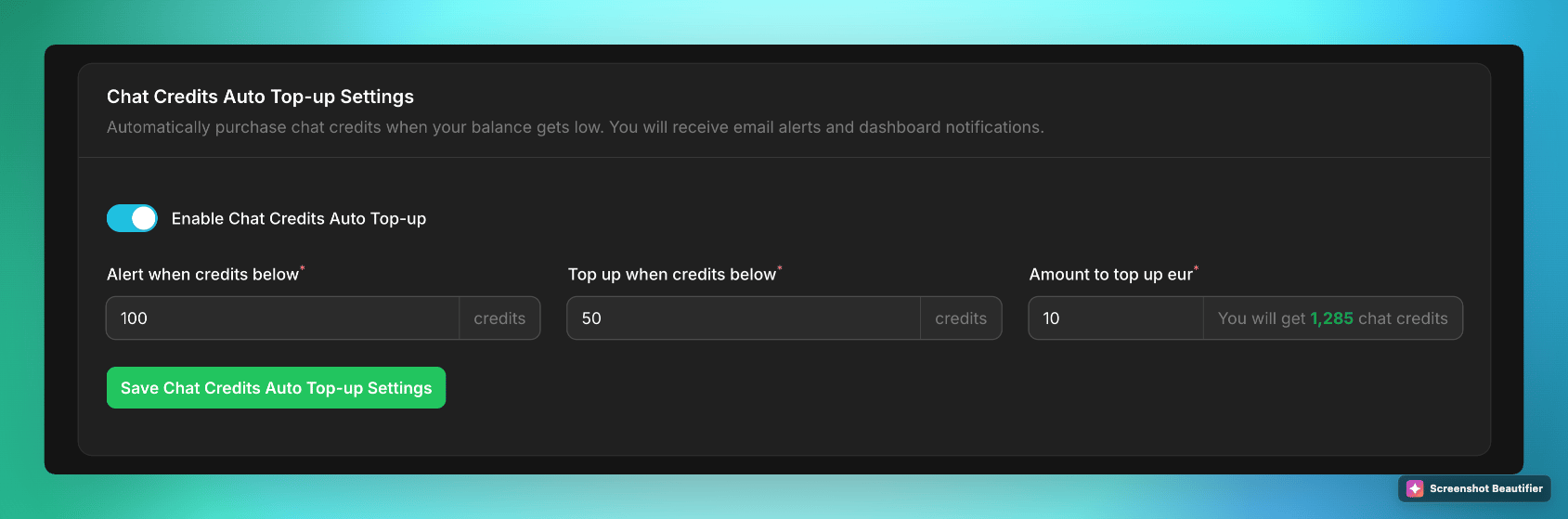 | Field | Meaning | Example |
| ----------------------------------- | ---------------------------------------------------------------------------- | ----------------------------- |
| **Enable Chat Credits Auto Top-up** | Turns the automation on or off. | On |
| **Alert when credits below** | Sends an email + dashboard alert when credits drop below this value. | `100` credits |
| **Top up when credits below** | Triggers an automatic purchase once credits fall below this value. | `50` credits |
| **Amount to top up (EUR)** | How much to charge per top-up. The page shows how many chat credits you get. | `10` € → `1,285` chat credits |
Click **Save Chat Credits Auto Top-up Settings** to apply.
***
## How it works
Choose the **alert** threshold (when you get notified) and the **top-up** threshold (when a purchase runs). The alert value is usually higher than the top-up value so you get an early warning.
Enter the EUR amount per top-up. Famulor shows the equivalent call minutes or chat credits at your plan's rate before you save.
Once your balance crosses the top-up threshold, Famulor charges your payment method automatically and adds the credits. You get an email and a dashboard notification each time.
Prices shown exclude VAT. VAT is calculated at checkout based on your billing profile. See [Pricing Breakdown](/en/pricing/usage-based) for how minutes are consumed.
| Field | Meaning | Example |
| ----------------------------------- | ---------------------------------------------------------------------------- | ----------------------------- |
| **Enable Chat Credits Auto Top-up** | Turns the automation on or off. | On |
| **Alert when credits below** | Sends an email + dashboard alert when credits drop below this value. | `100` credits |
| **Top up when credits below** | Triggers an automatic purchase once credits fall below this value. | `50` credits |
| **Amount to top up (EUR)** | How much to charge per top-up. The page shows how many chat credits you get. | `10` € → `1,285` chat credits |
Click **Save Chat Credits Auto Top-up Settings** to apply.
***
## How it works
Choose the **alert** threshold (when you get notified) and the **top-up** threshold (when a purchase runs). The alert value is usually higher than the top-up value so you get an early warning.
Enter the EUR amount per top-up. Famulor shows the equivalent call minutes or chat credits at your plan's rate before you save.
Once your balance crosses the top-up threshold, Famulor charges your payment method automatically and adds the credits. You get an email and a dashboard notification each time.
Prices shown exclude VAT. VAT is calculated at checkout based on your billing profile. See [Pricing Breakdown](/en/pricing/usage-based) for how minutes are consumed.