Asana Integration Template

Integrate Asana task management into your Mid-call Actions and allow your AI assistant to automatically create tasks, assign them, and coordinate projects during customer conversations – perfect for agile teams and project management.

Overview & Features

Automated Task Management

  • Instant task creation from conversation content
  • Intelligent project assignment based on context
  • Automatic assignee determination and due date setting
  • Integration with Asana workflows and custom fields

Team Coordination & Follow-up

  • Cross-functional task assignments
  • Automatic dependencies and subtasks
  • Integration with Asana timeline and portfolio management
  • Real-time team notifications about new tasks

Asana API & Workspace Setup

1. Set Up Asana API Access

1

Asana Account & Workspace

  • Ensure you have admin rights in your Asana workspace
  • Navigate to “Admin Console” → “Apps” → “Service accounts”
  • Or use Personal Access Tokens for easier setup
2

Create Personal Access Token

Token Generation:
  1. Click on your profile picture → "My Settings"
  2. "Apps" → "Manage Developer Apps"
  3. "Create New Personal Access Token"
  4. Name: "Famulor Mid-Call Integration"
  5. Copy the token (starts with "1/...")
3

Create Service Account (Enterprise)

Service Account (for Teams/Business):
  1. "Admin Console" → "Service accounts" 
  2. "Add service account"
  3. Name: "Famulor Mid-Call Service"
  4. Permissions: "Editor" or "Member"
  5. Generate and securely store the token
4

Identify Projects and Teams

Project Setup:
  - Collect project IDs for various areas
  - Sales Project: "1234567890123456"
  - Support Project: "2345678901234567"
  - Business Development: "3456789012345678"
  
Team GIDs for assignments:
  - Sales Team: "987654321098765"
  - Support Team: "876543210987654" 
  - DevOps Team: "765432109876543"

Configure Mid-call Action

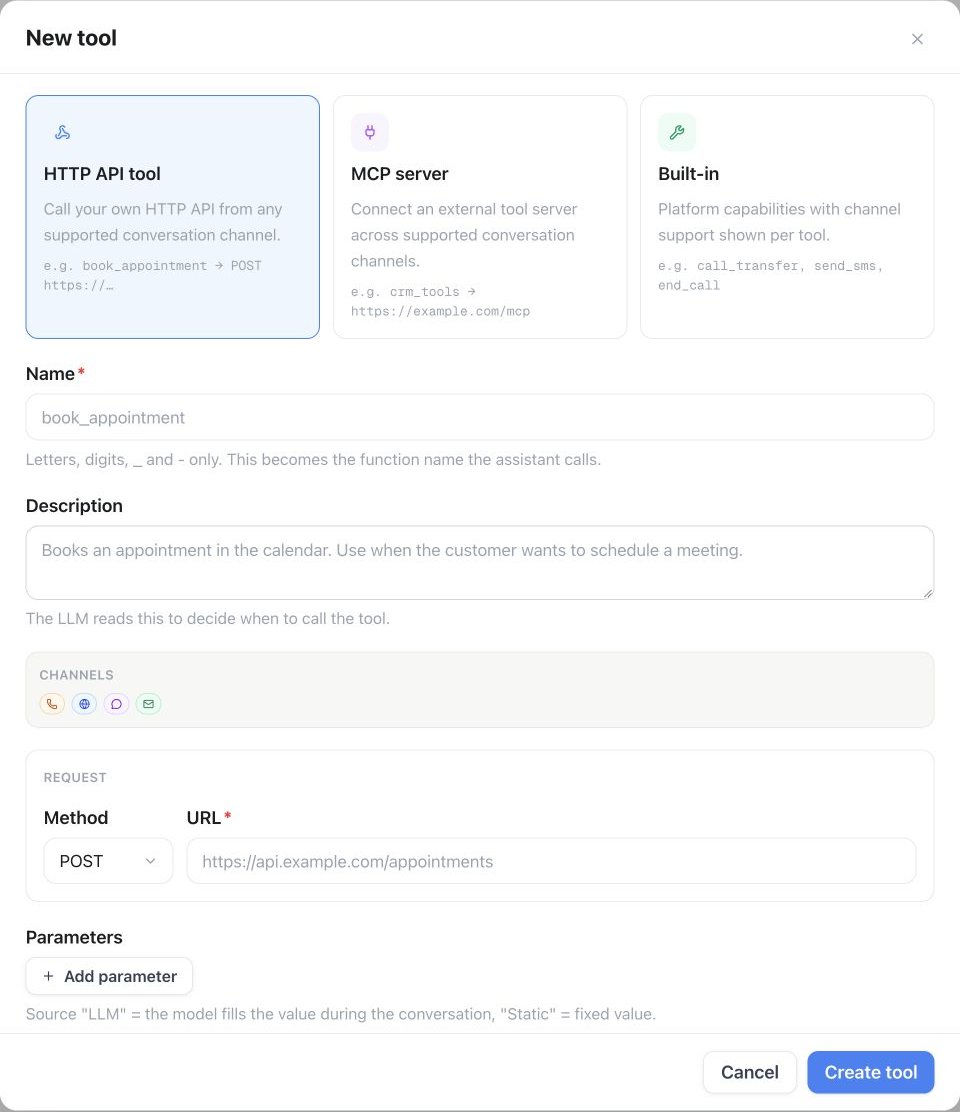
Configuration in the Famulor Interface

FieldValue
Name*Asana Task erstellen
Description”Automatically creates new tasks in Asana based on conversation content and action items”
Function Name*create_asana_task
Function Description*“Creates a new task in an Asana project. Use this when action items, follow-ups, or project tasks are identified during the conversation.”
HTTP MethodPOST
Timeout (ms)5000
Endpoint*https://app.asana.com/api/1.0/tasks

Parameter Schema

{
  "type": "object",
  "properties": {
    "task_name": {
      "type": "string",
      "description": "Name of the task (precise and actionable)",
      "examples": ["Follow-up call with Example AG", "Prepare demo for Max Mustermann", "Handle support ticket #12345"]
    },
    "task_description": {
      "type": "string",
      "description": "Detailed task description including context from the conversation"
    },
    "project_id": {
      "type": "string",
      "description": "Asana project ID (GID) for task assignment"
    },
    "assignee_email": {
      "type": "string",
      "format": "email",
      "description": "Email address of the Asana user who should take ownership of the task"
    },
    "due_date": {
      "type": "string",
      "format": "date",
      "description": "Due date in the format YYYY-MM-DD"
    },
    "start_date": {
      "type": "string",
      "format": "date",
      "description": "Start date of the task (optional)"
    },
    "priority": {
      "type": "string",
      "enum": ["Low", "Normal", "High", "Critical"],
      "description": "Priority level based on conversation context",
      "default": "Normal"
    },
    "client_name": {
      "type": "string",
      "description": "Customer name for task categorization (optional)"
    },
    "tags": {
      "type": "array",
      "items": {"type": "string"},
      "description": "Asana tags for categorization",
      "examples": [["mid-call", "follow-up"], ["sales", "hot-lead"], ["support", "urgent"]]
    },
    "estimated_hours": {
      "type": "number",
      "description": "Estimated work hours (optional)",
      "minimum": 0.5,
      "maximum": 40
    }
  },
  "required": ["task_name", "project_id"]
}

Practical Use Cases

Scenario 1: Sales Follow-up Task

1

Lead Conversation with Action Items

During the sales call:
  Customer: "Please send me a detailed proposal by Friday."
  
AI Assistant: "Of course! I am creating a task for our sales team..."

→ create_asana_task is triggered
2

Intelligent Task Generation

Task Details:
  task_name: "Create Proposal: Example AG - CRM Integration"
  task_description: "Customer Max Mustermann from Example AG requires a detailed proposal for CRM integration.
                    
                    Conversation context:
                    - Budget: ~50k€
                    - Timeline: Q1 2024
                    - Pain Points: Current solution too slow
                    - Decision Maker: Max (CEO)
                    
                    Action Items:
                    - Compile technical specifications
                    - Calculate pricing for 50-user setup  
                    - Attach case study of similar customers
                    - Suggest date for proposal presentation"
  
  project_id: "sales-pipeline-project-id"
  assignee_email: "sales@company.com"
  due_date: "2024-01-19"
  priority: "High"
  tags: ["mid-call", "hot-lead", "proposal-needed"]

Scenario 2: Support Ticket Task Management

Support escalation via Asana:
Problem context:
  Customer: "Our system has been down for 2 hours!"
  
Automatic Task Creation:
  task_name: "CRITICAL: System outage at Example AG"
  project_id: "support-critical-project-id"
  assignee_email: "devops@company.com" 
  due_date: "2024-01-15" (today)
  priority: "Critical"
  
Task Description:
  "🚨 CRITICAL SYSTEM OUTAGE
  
  Customer: Example AG (Max Mustermann)
  Problem: Complete outage since 2:00 PM
  Business impact: Production stoppage, revenue loss
  
  Immediate actions required:
  1. Check system status
  2. Contact customer within 30 minutes
  3. Provide workaround
  4. Start root cause analysis
  
  SLA: 1-hour resolution target"
Coordinate product development:
Feature request flow:
  Customer: "Could you add an integration to XY system?"
  
Task Creation:
  task_name: "Feature Request: XY System Integration"
  project_id: "product-development-backlog"
  assignee_email: "product-manager@company.com"
  
Custom fields:
  customer_impact: "High" (multiple customers affected)
  estimated_effort: "Medium"
  revenue_potential: "€25k+ ARR"
  competitive_advantage: "Yes"

Scenario 3: Partnership & Business Development

Response Handling

Successful Task Creation

{
  "data": {
    "gid": "1234567890123456",
    "name": "Follow-up call with Example AG",
    "notes": "Customer Max Mustermann requires a detailed proposal...",
    "assignee": {
      "gid": "9876543210987654",
      "name": "Sales Manager"
    },
    "projects": [
      {
        "gid": "1111222233334444",
        "name": "Sales Pipeline Q1"
      }
    ],
    "due_on": "2024-01-19",
    "created_at": "2024-01-15T10:30:00.000Z",
    "permalink_url": "https://app.asana.com/0/1111222233334444/1234567890123456"
  }
}

Natural Language Integration

Template: "Creating the task '{{task_name}}' in Asana..."Contextual examples:
Follow-up Task:
  "I am creating a follow-up task for our sales team..."

Support Task:
  "I am creating a support ticket in Asana for the tech team..."

Project Task:
  "I am creating a project task for further processing..."
Standard template: "Task was successfully created in Asana."Extended confirmations:
With assignee:
  "Task was created and assigned to {assignee_name}."

With deadline:
  "The task was created with a due date of {due_date}."

With team context:
  "The {team_name} team has been notified about the new task."

With link:
  "Task created. You can track progress here: [Link to Task]"

Advanced Asana Features

Custom Fields & Automation

Industry-specific custom fields:
  
Sales Tasks:
  - Lead Score: dropdown (Cold/Warm/Hot)
  - Deal Size: number field
  - Competition: multi-select
  - Close Probability: percentage
  
Support Tasks:
  - Severity: dropdown (Low/Medium/High/Critical)
  - Customer Tier: dropdown (Basic/Pro/Enterprise)
  - Resolution Time: number (hours)
  - Escalation Level: dropdown
  
Project Tasks:
  - Client Name: text field
  - Project Phase: dropdown
  - Budget Allocated: number
  - Stakeholders: people field
Trigger-based automation:
  
When Priority = "Critical":
  → Notify assignee immediately
  → Set due date to "today"
  → Add manager as follower
  
When Tag = "mid-call":
  → Special "Live Call" status color
  → Automatic follow-up after 24h
  → Add to team dashboard
  
When Client = "Enterprise":
  → Add account manager as follower
  → Increase priority level
  → Executive dashboard visibility

Multi-Project Workflows

Complex customer request workflow:
  
Lead from enterprise conversation:
  1. Sales task: "Create proposal"
     Project: Sales Pipeline
     Assignee: Account Manager
     
  2. Tech task: "Technical deep dive"
     Project: Solution Engineering  
     Assignee: Solutions Architect
     
  3. Legal task: "Contract review"
     Project: Legal & Compliance
     Assignee: Legal Team
     
Dependencies:
  Tech task → Sales task (blocking)
  Sales task → Legal task (predecessor)

Error Handling & Troubleshooting

Common API Errors

Cause: Project ID does not exist or no access

Asana response:
  "errors": [{
    "message": "project: Not a recognized ID",
    "phrase": "project"
  }]

Fallback:
  "The task could not be assigned to the specified project. 
   It will be created in your default Inbox."

Resolution:
  - Validate project ID
  - Fallback to user Inbox
  - Notify admin about configuration error
Cause: Assignee email not found in Asana workspace

Graceful handling:
  "Task was created, but the assignee could not be automatically assigned. 
   Please assign the task manually."

Automatic correction:
  - Create task without assignee
  - Assign default team lead as assignee
  - Notify workspace admin
Asana rate limits:
  - Standard: 1500 requests/minute
  - Premium: 1500 requests/minute (same)
  - Enterprise: custom limits possible

Retry strategy:
  - Exponential backoff: 1s, 2s, 4s
  - Maximum 3 retries
  - Queue system for burst loads

User communication:
  "The task is being created. Under heavy load this may take a moment..."

Integration with Other Tools

CRM Synchronization

Performance & Analytics

Project Management KPIs

MetricDescriptionTarget Value
Task Creation Success Rate% of tasks created successfully>99%
Assignment Accuracy% of correctly assigned tasks>95%
Task Completion Rate% of on-time completed mid-call tasks>80%
Follow-up Conversion% of tasks leading to business results>60%

Productivity Impact Tracking

1

Measure Team Efficiency

Before/After comparison:
  Without mid-call tasks:
    - Follow-up rate: 45%
    - Average response time: 48h
    - Forgotten action items: 25%
  
  With mid-call tasks:
    - Follow-up rate: 85%
    - Average response time: 6h
    - Forgotten action items: 5%
2

Business Impact Attribution

Revenue tracking:
  Mid-call task → Follow-up action → Meeting → Deal
  
Conversion funnel:
  - Tasks created: 100%
  - Tasks completed on time: 80%
  - Follow-up meetings scheduled: 60%
  - Deals closed: 15%

Best Practices

Task Design Patterns

Actionable Task Names

Good examples:
  • “Prepare demo: CRM features for Example AG”
  • “Follow-up call: Budget confirmation by Friday”
  • “Send proposal: 50k€ enterprise deal”
Avoid:
  • “Call customer”
  • “Do follow-up”
  • “Proposal”

Context-Rich Descriptions

Template structure:
Context: [What happened?]
Goal: [What should be achieved?]
Details: [Specific information]
Deadline: [Why this deadline?]
Success Criteria: [When is it successful?]

Workspace Access: Ensure that all automatically created tasks can be seen and managed by the assigned team members. Regularly review project permissions.
Productivity Tip: Use Asana templates for recurring task types (sales follow-ups, support escalations, etc.) to maximize consistency and efficiency.