Monday.com Integration Template

Integrate Monday.com Work OS into your Mid-call Actions with three powerful features: searching items, updating status, and creating new items. Perfect for team coordination, project tracking, and agile workflows.

Overview & Features

Search Items

  • GraphQL-based board search
  • Multi-board queries enabled
  • Column value filtering
  • Customer-specific item lookups

Update Status

  • Real-time status updates
  • Column value modifications
  • Priority and assignment changes
  • Progress tracking integration

Create Items

  • Automatic task creation from conversation
  • Group-based organization
  • Set custom column values
  • Team assignment and deadline setting

Monday.com API & Workspace Setup

1. Set up Monday.com API Access

1

Monday.com Account & Permissions

  • Ensure you have admin rights in your Monday.com account
  • Navigate to “Profile” → “Admin” → “API”
  • Review available boards and their IDs
2

Generate API Token

API Token Creation:
  1. "Profile" → "Admin" → "API"
  2. "API v2 Token" → "Generate"
  3. Token Name: "Famulor Mid-Call Integration"
  4. Copy the token and store it securely
  5. Permissions: Read and write for relevant boards
3

Analyze Board IDs and Structure

Collect Board Information:
  1. Identify relevant boards:
     - Sales Pipeline Board (ID: 1234567890)
     - Support Tickets Board (ID: 2345678901)
     - Feature Requests Board (ID: 3456789012)
  
  2. Document column IDs:
     - Status Column: "status"
     - Priority Column: "priority"
     - Assignee Column: "person"
     - Date Column: "date4"
  
  3. Group IDs for organization:
     - "new_group" for new items
     - "topics" for standard tasks
4

Understand GraphQL Schema

  • Monday.com uses GraphQL for all API operations
  • Queries for fetching data (search_monday_items)
  • Mutations for changes (update_monday_status, create_monday_item)
  • Structured response handling required

Tool 1: Search Items

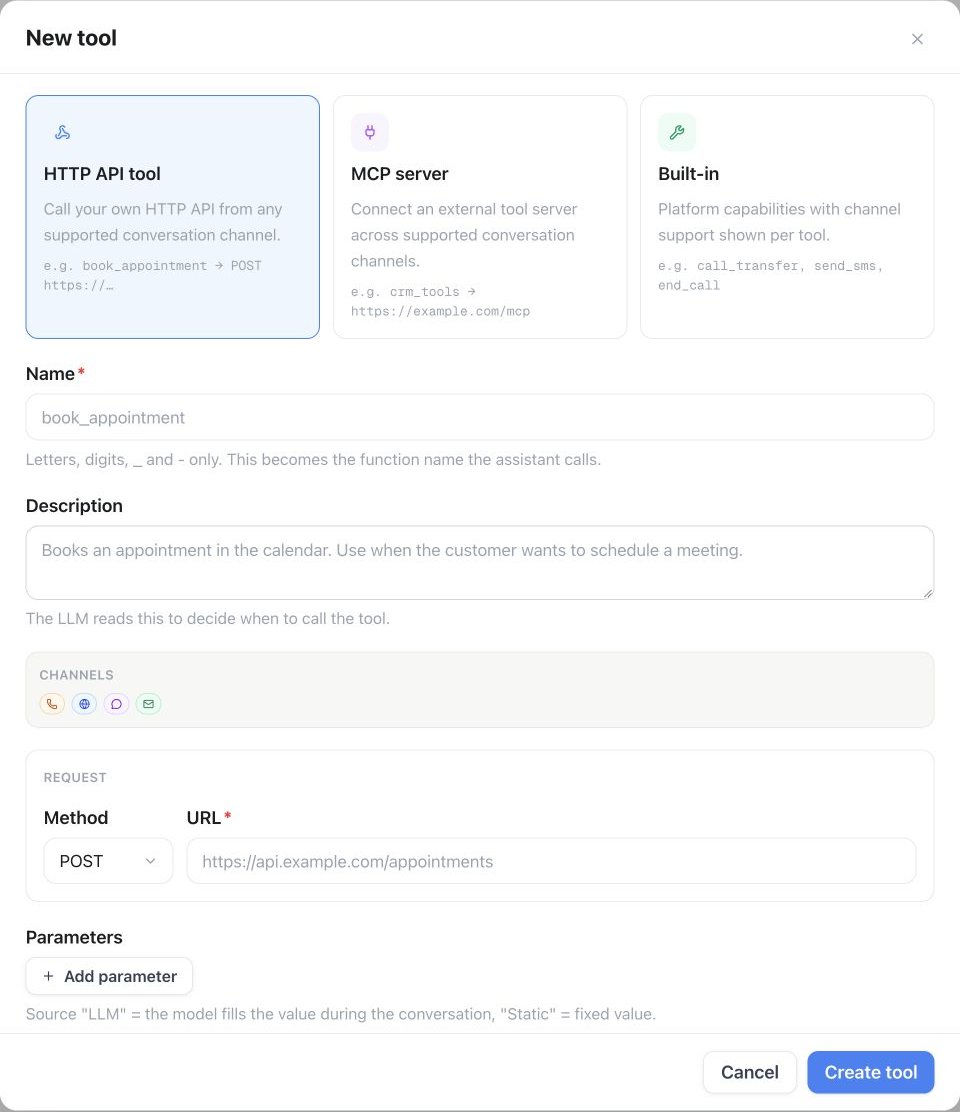
Configuration in the Famulor Interface

FieldValue
Name*Monday.com Items suchen
Description”Searches items by various criteria in Monday.com boards for status updates and follow-ups”
Function Name*search_monday_items
Function Description*“Searches Monday.com boards. Use this to find existing tasks, check status, or locate customer-related items.”
HTTP MethodPOST
Timeout (ms)5000
Endpoint*https://api.monday.com/v2
{
  "type": "object",
  "properties": {
    "board_ids": {
      "type": "array",
      "items": {"type": "integer"},
      "description": "Monday.com board IDs to search",
      "examples": [[1234567890], [1234567890, 2345678901]]
    },
    "search_term": {
      "type": "string",
      "description": "Search term for item names or column values (integrated into GraphQL filter)"
    },
    "status_filter": {
      "type": "string",
      "enum": ["", "Working on it", "Done", "Stuck", "Not Started"],
      "description": "Filter items by status column"
    },
    "limit": {
      "type": "integer",
      "description": "Maximum number of items to return",
      "default": 20,
      "minimum": 1,
      "maximum": 100
    }
  },
  "required": ["board_ids"]
}

Response Mapping

{
  "items": "data.boards[0].items",
  "totalCount": "data.boards[0].items.length"
}

Tool 2: Update Status

Configuration in the Famulor Interface

FieldValue
Name*Monday.com Status Update
Description”Updates the status or other column values of a Monday.com item”
Function Name*update_monday_status
Function Description*“Updates a Monday.com item. Use this to change task status, update assignees, or modify deadlines.”
HTTP MethodPOST
Timeout (ms)5000
Endpoint*https://api.monday.com/v2

Parameter Schema for Updates

{
  "type": "object",
  "properties": {
    "board_id": {
      "type": "integer",
      "description": "Monday.com board ID of the item to update"
    },
    "item_id": {
      "type": "integer", 
      "description": "Item ID (from previous search or known)"
    },
    "column_id": {
      "type": "string",
      "description": "Column ID to update (e.g., 'status', 'priority', 'person')",
      "examples": ["status", "priority", "person", "date4", "text"]
    },
    "value": {
      "type": "string",
      "description": "New value for the column (JSON string for complex columns)"
    },
    "update_reason": {
      "type": "string",
      "description": "Reason for the update (for audit trail)",
      "examples": ["Customer Call Update", "Status Change", "Priority Escalation"]
    }
  },
  "required": ["board_id", "item_id", "column_id", "value"]
}

Response Mapping

{
  "itemId": "data.change_column_value.id",
  "itemName": "data.change_column_value.name"
}

Tool 3: Create Item

Configuration in the Famulor Interface

FieldValue
Name*Monday.com Item erstellen
Description”Creates a new item (task) in a Monday.com board based on conversation content”
Function Name*create_monday_item
Function Description*“Creates a new item in Monday.com. Use this for action items, follow-up tasks, or customer requests resulting from the call.”
HTTP MethodPOST
Timeout (ms)5000
Endpoint*https://api.monday.com/v2

Parameter Schema for Item Creation

{
  "type": "object",
  "properties": {
    "board_id": {
      "type": "integer",
      "description": "Monday.com board ID where the item should be created"
    },
    "group_id": {
      "type": "string",
      "description": "Group/section ID within the board (e.g., 'new_group', 'topics')",
      "examples": ["new_group", "topics", "this_week", "next_week"]
    },
    "item_name": {
      "type": "string", 
      "description": "Name of the new item/task"
    },
    "column_values": {
      "type": "string",
      "description": "JSON string with column values for initialization",
      "examples": [
        "{\"status\": {\"label\": \"Working on it\"}, \"priority\": {\"label\": \"High\"}}",
        "{\"person\": {\"personsAndTeams\": [{\"id\": 12345}]}, \"date4\": {\"date\": \"2024-01-20\"}}"
      ]
    },
    "customer_name": {
      "type": "string",
      "description": "Customer name for item categorization (inserted into a text column)"
    },
    "phone_number": {
      "type": "string",
      "description": "Customer contact for follow-ups (inserted into a text column)"
    },
    "priority": {
      "type": "string",
      "enum": ["Critical", "High", "Medium", "Low"],
      "description": "Priority level based on conversation context",
      "default": "Medium"
    },
    "due_date": {
      "type": "string",
      "format": "date",
      "description": "Deadline for the task (YYYY-MM-DD)"
    },
    "estimated_hours": {
      "type": "number",
      "description": "Estimated working hours",
      "minimum": 0.5,
      "maximum": 100
    }
  },
  "required": ["board_id", "item_name"]
}

Practical Use Cases

Scenario 1: Customer Support Workflow

1

Problem Assessment & Item Lookup

Customer: "My ticket SUP-123 – any updates?"

AI: "Checking your ticket..."

search_monday_items:
  board_ids: [2345678901]  # Support Board
  search_term: "SUP-123"

GraphQL Query:
  query { 
    boards (ids: [2345678901]) { 
      items (limit: 50) { 
        id name 
        column_values { 
          id text value 
        } 
      } 
    } 
  }
2

Status Update Based on Conversation

If problem resolved:
  AI: "Marking your ticket as completed..."
  
update_monday_status:
  board_id: 2345678901
  item_id: 987654321  # From search result
  column_id: "status"
  value: "{\"label\": \"Done\"}"

GraphQL Mutation:
  mutation { 
    change_column_value (
      board_id: 2345678901, 
      item_id: 987654321, 
      column_id: "status", 
      value: "{\"label\": \"Done\"}"
    ) { 
      id name 
    } 
  }

Scenario 2: Sales Pipeline Management

Sales Call Workflow:
Customer shows interest in demo:
  
create_monday_item:
  board_id: 1234567890  # Sales Board
  group_id: "new_leads"
  item_name: "Demo Request - Example Inc."
  column_values: "{
    \"status\": {\"label\": \"Working on it\"},
    \"priority\": {\"label\": \"High\"},
    \"person\": {\"personsAndTeams\": [{\"id\": 12345}]},
    \"date4\": {\"date\": \"2024-01-20\"},
    \"text\": \"Customer: Max Mustermann, Phone: +49123456789\"
  }"

Outcome:
  - Item created in Sales board  
  - Automatic assignment to sales rep  
  - Deadline set for demo preparation  
  - Customer contact data stored  
Pipeline updates during conversation:
Deal progress update:
  
Customer: "We've approved the budget!"

AI: "Great! Updating deal status..."

update_monday_status (Status):
  column_id: "status"
  value: "{\"label\": \"Contract Negotiation\"}"

update_monday_status (Budget):
  column_id: "budget_approved"  
  value: "{\"checked\": \"true\"}"

update_monday_status (Notes):
  column_id: "text"
  value: "Budget approved in call on {date} – ready for contract phase"

Scenario 3: Project Coordination

GraphQL Queries & Mutations in Detail

Advanced Search Queries

query SearchCustomerItems($boards: [Int!], $customerName: String!) {
  boards(ids: $boards) {
    id
    name
    items(limit: 50) {
      id
      name
      column_values {
        id
        text
        value
      }
      created_at
      updated_at
    }
  }
}
Use for Customer Lookup:
  • Search customer name in text columns
  • Apply status filter
  • Cross-board search supported
query GetOpenTasks($boardId: Int!, $statusLabel: String!) {
  boards(ids: [$boardId]) {
    items {
      id
      name
      column_values(ids: ["status"]) {
        ... on StatusValue {
          text
          label
          color
        }
      }
    }
  }
}

Complex Column Value Updates

{
  "Status": "{\"label\": \"Working on it\"}",
  "Priority": "{\"label\": \"High\"}",
  "Checkbox": "{\"checked\": \"true\"}"
}

Response Processing

Item Search Response

{
  "data": {
    "boards": [
      {
        "items": [
          {
            "id": "987654321",
            "name": "Demo Request - Example Inc.",
            "column_values": [
              {
                "id": "status",
                "text": "Working on it",
                "value": "{\"label\": \"Working on it\", \"color\": \"#fdab3d\"}"
              },
              {
                "id": "person",
                "text": "Sales Team",
                "value": "{\"personsAndTeams\": [{\"id\": 12345, \"kind\": \"person\"}]}"
              }
            ],
            "created_at": "2024-01-15T10:30:00Z",
            "updated_at": "2024-01-15T14:20:00Z"
          }
        ]
      }
    ]
  }
}

Natural Language Integration

Template: "{{totalCount}} items found. Top results: {{items[0].name}}, {{items[1].name}}"Advanced Interpretations:
When items found:
  "I found 3 relevant tasks. Your demo request with Example Inc. is currently in progress and being handled by our sales team."

When no items:
  "I couldn't find any matching tasks. Should I create a new one?"

With status context:
  "Your support ticket has been in progress since yesterday. The team is actively working on a solution."
Status Update Template: "Status updated for: {{itemName}}"Creation Template: "Task created: {{itemName}} (ID: {{itemId}})"Business Context Integration:
With team assignment:
  "The task was created and assigned to the development team."

With deadline:
  "Feature request scheduled with a due date at the end of January."

With priority escalation:
  "Support ticket marked as high priority and is being addressed urgently."

Advanced Monday.com Features

Automation & Workflows

Board Automation Integration:
  
When mid-call item is created:
  → Automatic email notification to assignee
  → Slack notification in team channel
  → Due date reminder 24 hours prior
  
When status = "Done":
  → Customer notification via email
  → Move item to "Completed" group
  → Archive after 30 days
  
When priority = "Critical":
  → Immediate manager notification
  → Auto-assign to senior team member
  → SLA timer activation
Multi-board workflows:
  
Sales-Support Bridge:
  Sales item → Create linked support item
  Support resolution → Update sales status
  
Development Planning:
  Feature request → Create epic in dev board
  Epic progress → Update customer communication board
  
Customer Success Tracking:
  Support issue → Create customer success follow-up item
  Project milestone → Create customer check-in

Advanced Column Types

Customer Database Integration:
  
Customer Info Columns:
  - "Customer Name": Text field
  - "Contact Email": Email field  
  - "Phone Number": Phone field
  - "Company Size": Dropdown (Small/Medium/Large)
  - "Industry": Dropdown (Tech/Healthcare/Finance/...)
  
Business Context:
  - "Deal Size": Numbers (€)
  - "Urgency": Rating (1-5 stars)
  - "Last Contact": Date
  - "Next Follow-up": Date

Performance & Analytics

Monday.com Integration KPIs

MetricDescriptionTarget Value
Item Creation Success Rate% of successfully created items>99%
GraphQL Query PerformanceAverage response time<1.5 seconds
Update Success Rate% of successful column updates>98%
Team Adoption Rate% of mid-call originated items processed>85%

Business Impact Tracking

1

Workflow Efficiency

Productivity Metrics:
  - Reduced time from conversation to task assignment
  - Higher follow-up rate through automatic item creation
  - Improved team coordination through structured data
  - Fewer "forgotten action items"
2

Customer Experience Impact

Customer Satisfaction:
  - Faster problem resolution via immediate ticket creation
  - Greater transparency through item status sharing
  - Proactive updates via automation rules
  - Reduced "lost in system" experiences

Error Handling

Monday.com GraphQL Errors

Error: "Invalid authentication credentials"

Cause: API token invalid or expired

Fallback:
  "Monday.com synchronization is currently unavailable. 
   I’m logging the task for manual creation."

Resolution:
  - Check and renew API token
  - Validate account permissions
  - Verify board access rights
Error: "Resource not found"

Possible causes:
  - Incorrect or deleted board ID
  - Item ID does not exist
  - Insufficient permissions

Intelligent fallback:
  - Try alternative board IDs
  - Use default board for new items
  - Notify admin of configuration issue
Error: "Query error: Syntax error"

Handling:
  - Fallback to simpler query
  - Parameter validation before API call
  - Dynamic query building with error checking

Recovery strategy:
  "There was a technical issue with the Monday.com integration. 
   Using an alternative method."

GraphQL Complexity: Monday.com uses GraphQL which requires more complex query structures. Test all queries thoroughly in the Monday.com API Playground before using in production.
Productivity Tip: Use Monday.com automation rules combined with Mid-call Actions to achieve full workflow automation. This maximizes the ROI of your integration.