

Embedded Signup v2 is deprecated on October 15, 2026. Use v4 configurations only.
Connect your WhatsApp account
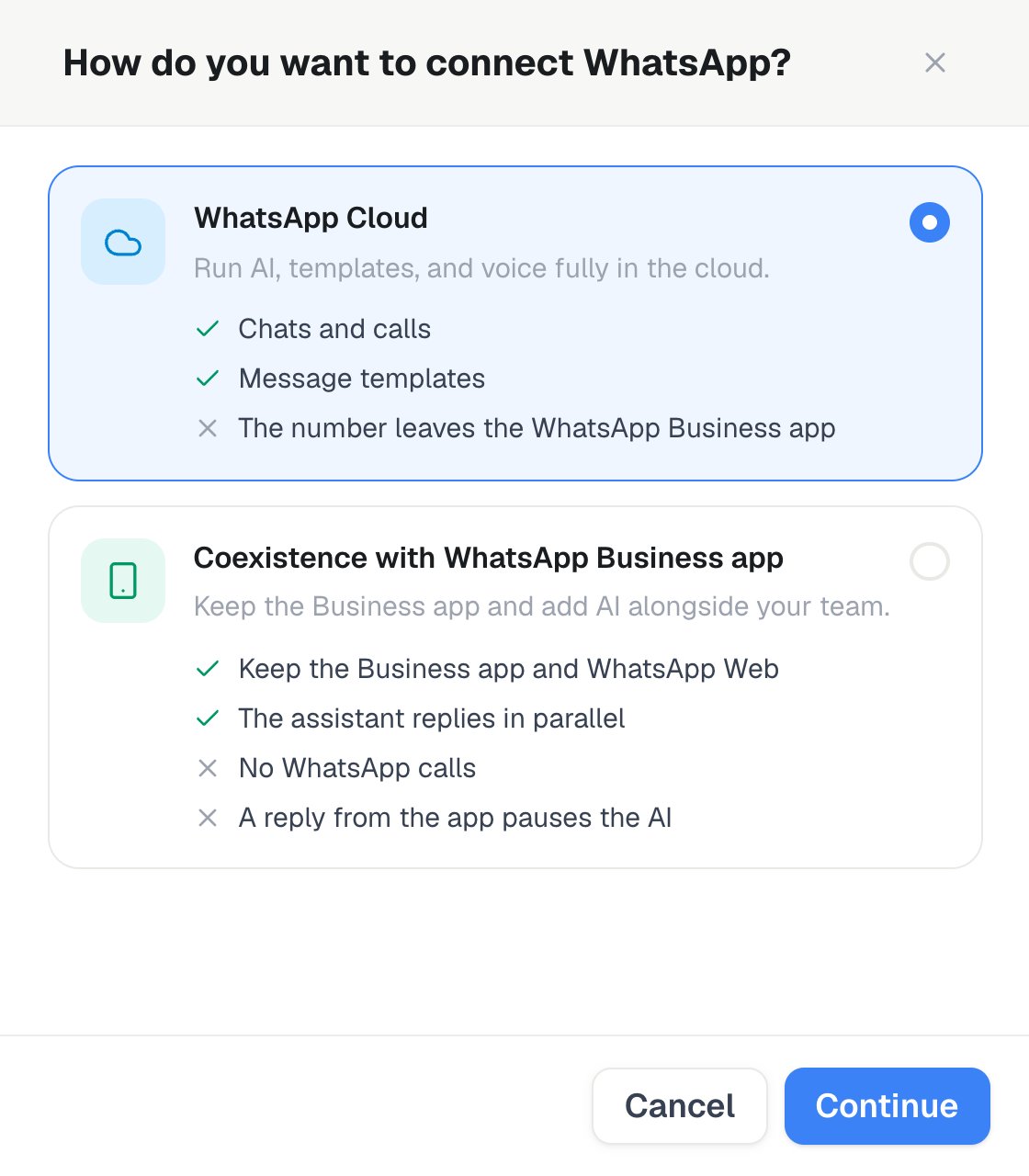
Settings → Channels → WhatsApp → Add number: select WhatsApp Cloud or Coexistence with WhatsApp Business app, then Continue.
- Pick an assistant
- Optionally select a marketplace number; an SMS-capable number is easiest to verify
- If you select an eligible marketplace number, the verification code appears in the setup flow
- Click Connect with Meta → complete the popup
- Confirm that the connected sender is active, then assign an assistant
- Add a payment method in WhatsApp Manager before high-volume messaging
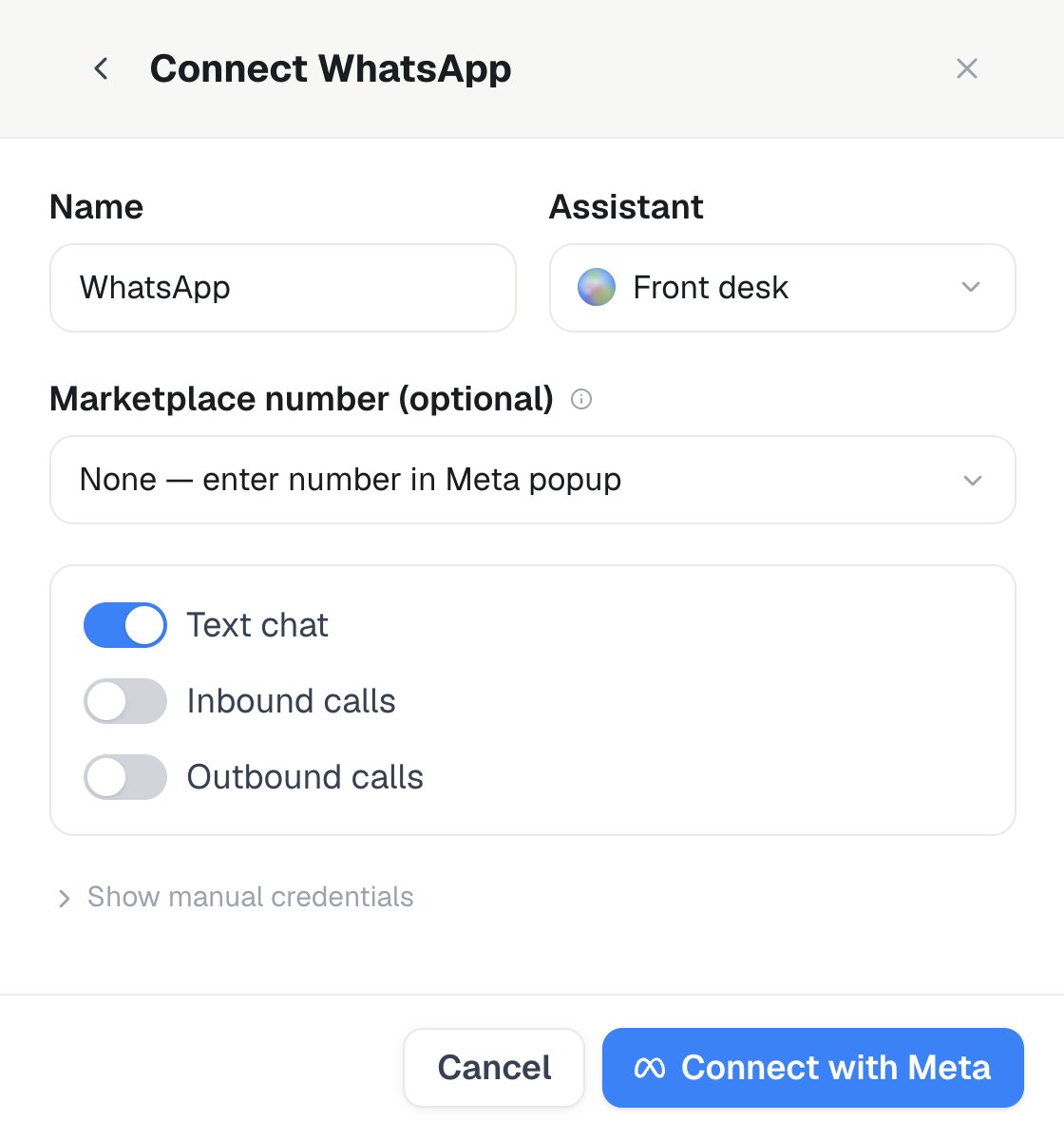
On the Cloud path, select the Assistant and an optional Marketplace number, choose text or voice capabilities, then use Connect with Meta.
Marketplace numbers + OTP
While a voice-delivered OTP capture session is open — up to 20 minutes, or until you finish or cancel it — inbound calls to that number are answered by a silent listener instead of your assigned assistant. Normal routing resumes automatically the moment the session ends.The code Meta reads out is shown live on this screen only. No assistant call is created and nothing is written to call history — the carrier delivers the code directly. The code is discarded when the session ends, so restart verification to get a new one if you miss it.
Marketplace-number verification is completed interactively in the dashboard. Other WhatsApp resources can be managed through the public API and MCP as described in WhatsApp (Text + Voice).