

Email history table
Use Type → Email to show email only. Direction describes how the conversation started: an inbound customer message stays inbound after the assistant replies, while a standalone outbound email is outbound. Search matches email addresses, subjects, and plain-text bodies; the assistant and status filters work across calls and email.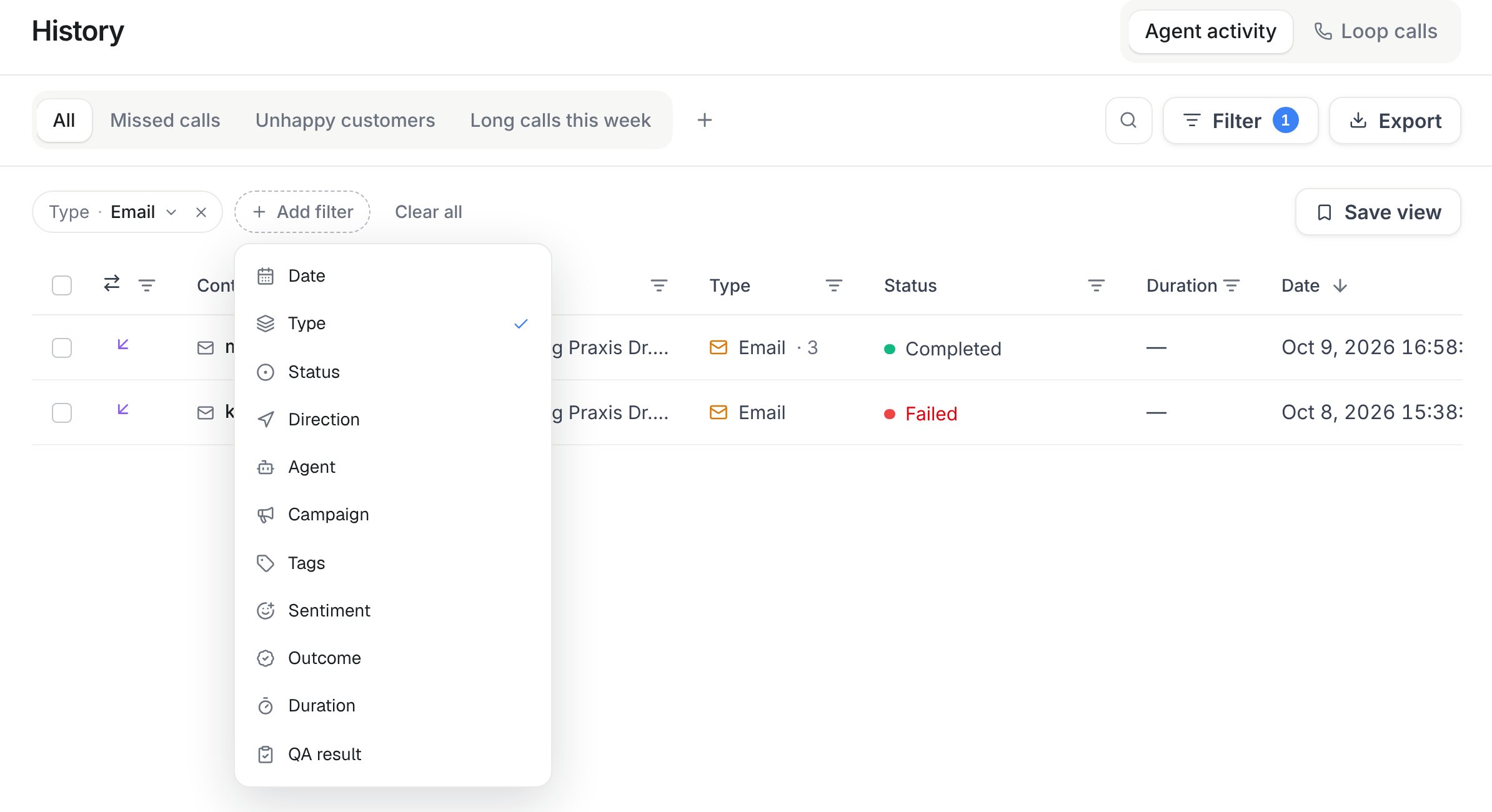
History → Add filter: Type → Email shows only email conversations. Narrow them further by date, status, direction, agent, tags, sentiment, or outcome.
Open an email row to read every inbound message and assistant reply chronologically, plus sender, recipient, subject, assistant, latest reply state or error, and attachment information. Inbound audio attachments can be transcribed, and image analysis can create short descriptions of photos or screenshots, including readable text where possible. The assistant uses those transcripts and descriptions in its reply. Up to five audio and image files combined per message can be processed, with a maximum of 10 MiB per file. Their available audio players, images, transcripts and descriptions appear in the conversation. Image descriptions are summaries, not complete OCR exports; PDFs, videos and other files are not analyzed by this attachment feature and retain metadata only. Previously received attachments without retained media remain metadata only. Search also matches every grouped reply. A new reply moves the conversation back to the top.
API and MCP
- REST:
GET /api/v1/historyandGET /api/v1/history/emails/{id}(calls:read) - MCP:
list_historyandget_email_history_item - CLI:
famulor list-history --type emailandfamulor get-email-history-item <id>
type, direction, status, assistant_id, tags, sentiment, outcome, search, date_range, from, to, limit, and offset, plus view_id for a saved view. Campaign, duration, and QA result filters return calls only.
The email channel itself — sending/receiving domains, per-address assistant assignments, and the workspace default sender name and signature — is also fully manageable via API and MCP: GET/POST /api/v1/email/domains, GET/DELETE /api/v1/email/domains/{id}, POST /api/v1/email/domains/{id}/verify, GET/POST /api/v1/email/addresses, PATCH/DELETE /api/v1/email/addresses/{id}, and GET/PUT /api/v1/email/settings (assistants:read/assistants:write). MCP tools: list_email_domains, connect_email_domain, get_email_domain, verify_email_domain, delete_email_domain, list_email_addresses, create_email_address, update_email_address, delete_email_address, get_email_settings, update_email_settings.
See also Conversation history and Email channel setup.
Message labels
New incoming messages can receive a Possible scam label. Unsolicited sales pitches, SEO offers and paid award promotions in email can receive Advertising. Labels appear beside the message and in the History list after background processing. These are advisory hints and may be wrong. Messages remain visible, replies continue as usual, and no message is moved, deleted or marked as spam in a connected mailbox, including Gmail. No label does not mean a message is safe. Booking and customer enquiries should remain unlabelled. Workspace owners and admins can switch Message labels on or off in Settings → Workspace, when included in their plan. Changes apply to new messages; existing labels remain. Members with write access can dismiss an incorrect label in the message details. History API responses and the history MCP tools include active labels. Usedismiss_inbox_label to dismiss one, and get_inbox_label_settings / update_inbox_label_settings to manage the workspace setting.