

What the daily limit covers
The daily outbound allowance is shared by every assistant in the workspace. A call counts when it is started through:- a phone number provided through the number marketplace, or
- your own verified caller ID when it uses the integrated outbound route.
make_call MCP tool all use the same workspace counter. Parallel requests are reserved atomically, so the allowance cannot be exceeded by starting several calls at once.
Calls that reach busy, no_answer, or another carrier outcome still count because the outbound attempt has already been placed.
What is always unlimited
These call types do not use the daily allowance:- inbound calls,
- browser and web-widget calls,
- outbound calls through your own SIP trunk or BYOC connection, and
- WhatsApp voice calls.
View usage and request an increase
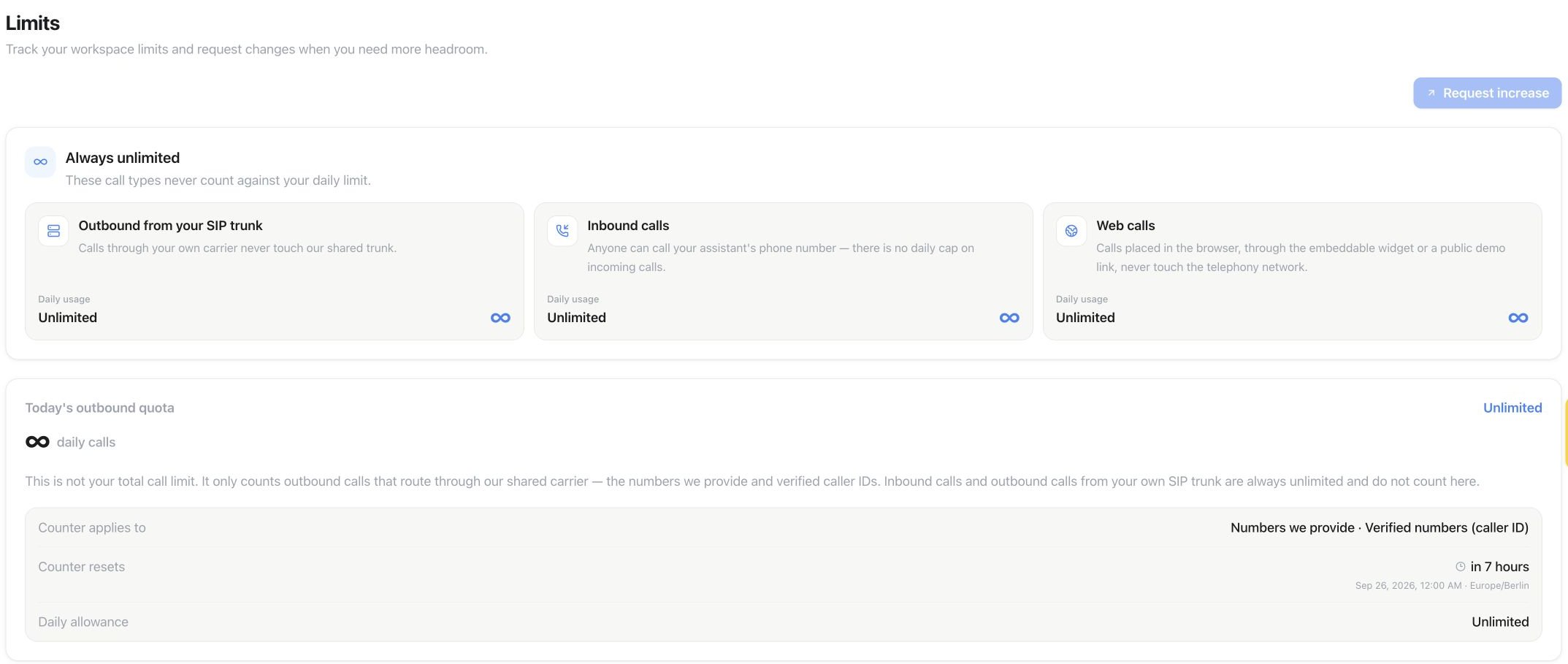
Settings → Limits shows today’s outbound quota and reset time. Unlimited is the state of this example workspace; your allowance and increase-request availability may differ.
- calls used and remaining today,
- the current daily allowance,
- the next reset time in the workspace timezone, and
- the latest increase-request status.
API and MCP
Use the public API with thesettings:read or settings:write scope:
GET /api/v1/settings/outbound-limitsPOST /api/v1/settings/outbound-limits/requests
get_outbound_limitsrequest_outbound_limit_increase
429 rate_limited. The response includes the next reset time; inbound, web, and BYOC calls remain available.