

Create the line in STARFACE
- In Famulor, open Settings → Phone numbers → Add a number → Add SIP integration. Select your SIP region and copy the hostname from the SIP URI.
- In STARFACE, open Configuration → Lines (Leitungen) and choose Neue Leitung. Use a host-based SIP line without registration.
- On the Provider tab, enter the Famulor hostname in host and fromdomain, and choose tcp for transport. The line can show as unregistered when configured this way.
- Add the number on the Rufnummern tab. Enable CLIP No Screening if your STARFACE setup permits the original caller ID to be sent, and note the line prefix, for example
**2*. STARFACE documentation.
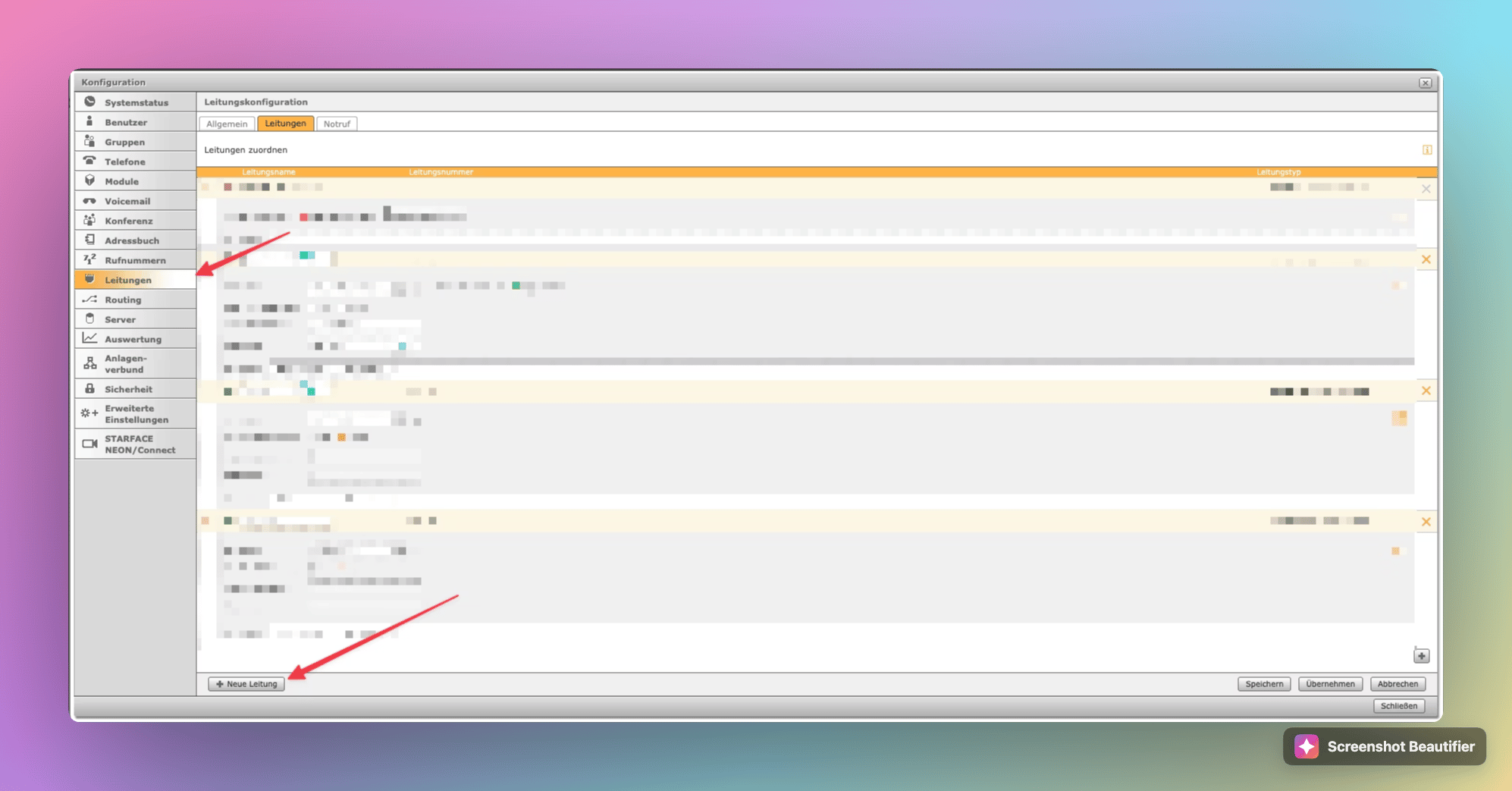
Create the line under Leitungen in the STARFACE configuration.
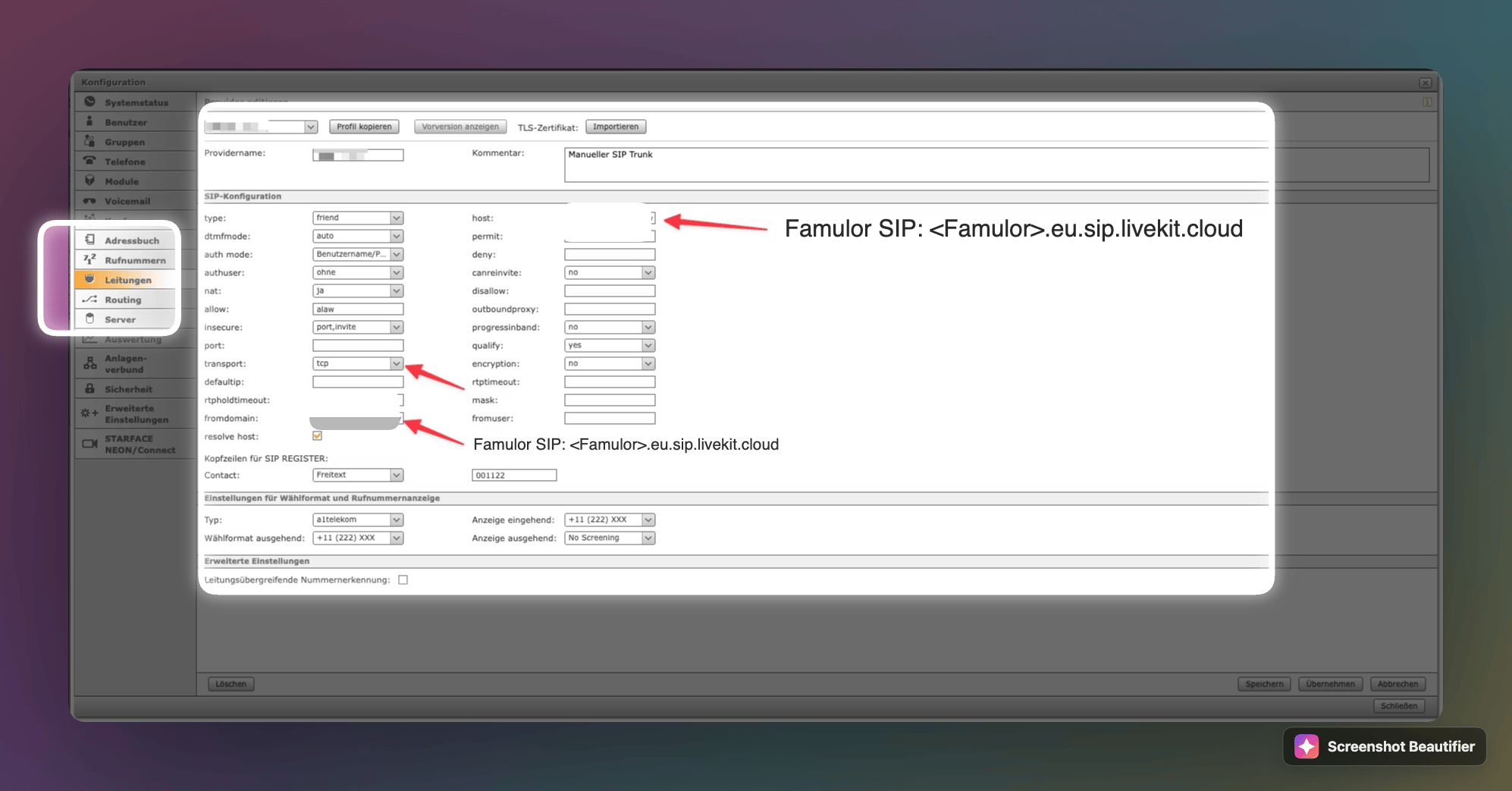
Set host, fromdomain and transport on the Provider tab.
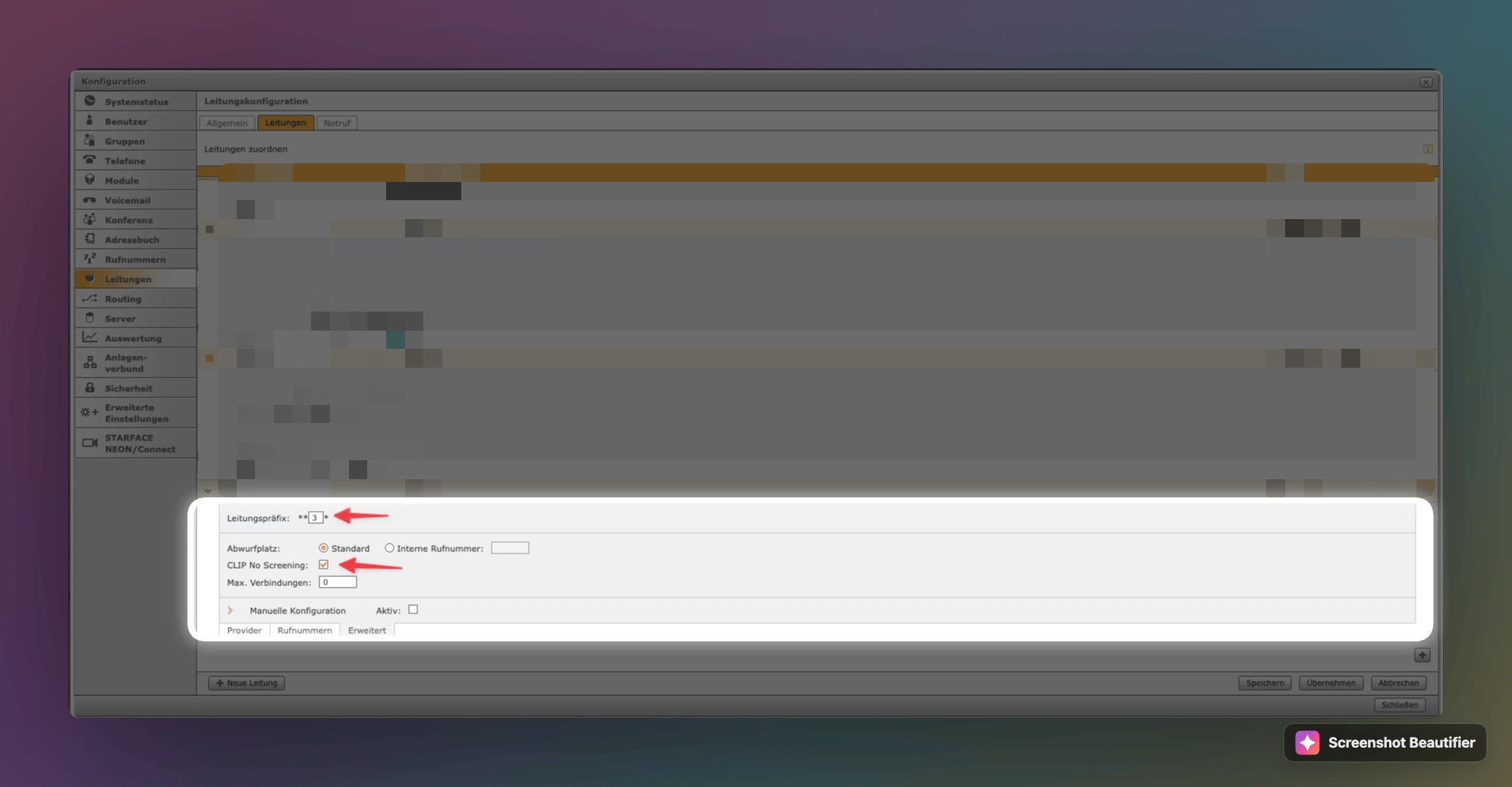
Note the line prefix and check the CLIP No Screening setting.
Assign the number and schedule the routing
- In Famulor, choose Phone number (DID) and enter the exact
+E.164number STARFACE will send. Choose Provider source IPs and enter the public SIP-signaling addresses of STARFACE. Set Termination address to your public STARFACE or SBC SIP host. Set Outbound authentication to No outbound credentials for an IP-based setup. Save and assign an assistant. - In STARFACE, open Configuration → Users (Benutzer) → Rufnummern for the user and assign the external SIP number on the new line.
- Open Modules → Zeitgesteuerte Umleitung. Select the number to forward, choose Rufnummer as the destination type, and enter the line prefix followed by the international dial string. With prefix
**2*, use**2*0012025550123to dial+12025550123. Set the time windows and confirm that the outgoing SIP request carries the exact DID saved in Famulor.
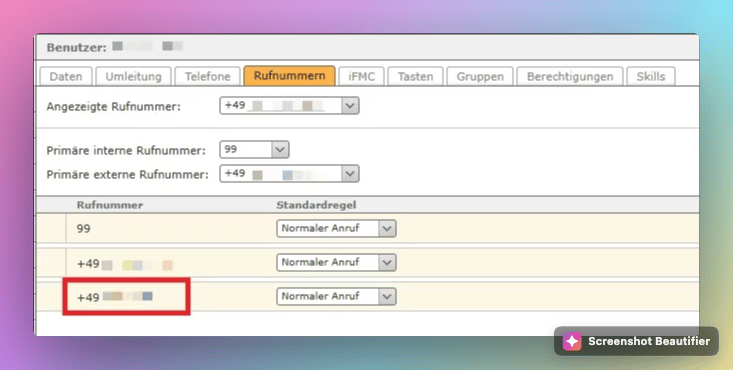
Assign the external SIP number on the user’s Rufnummern tab.
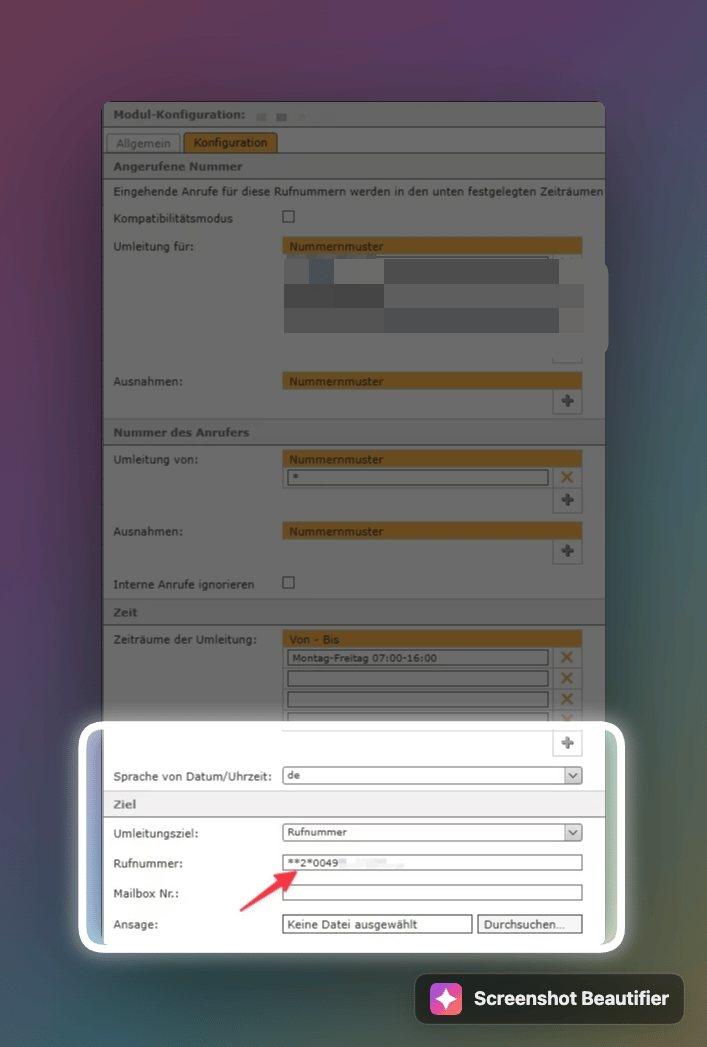
In Zeitgesteuerte Umleitung, use the line prefix in the destination number.