

Prepare the Famulor destination
- Open Settings → Phone numbers → Add a number → Add SIP integration. Select the SIP region and copy the displayed SIP URI.
- For a static SIP connection, agree the exact called number, transport and inbound authentication with your provider or PBX administrator. Enter that number as the DID in Famulor. Use the provider’s complete SIP-signaling source list, or SIP credentials if the provider supports Digest toward this destination.
- Enter the provider or PBX termination hostname and its outbound authentication if you will place calls through this connection. Save the integration and assign the number to your assistant.
What to enter in Famulor
The screenshots use the English app labels.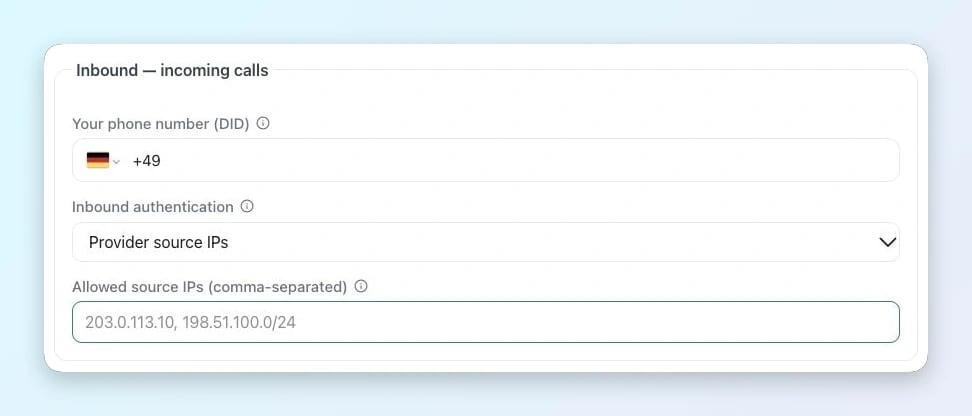
Incoming calls in Famulor
- Your phone number (DID) · Enter the exact number delivered by Five9 SBC, with its country code and leading + for an E.164 DID.
- Inbound authentication / Allowed source IPs · Choose Provider source IPs and enter the complete SIP signaling list for Five9 SBC and the selected route.
- If the provider sends Digest authentication to Famulor, select SIP username/password and use the same inbound credentials configured on the provider side.
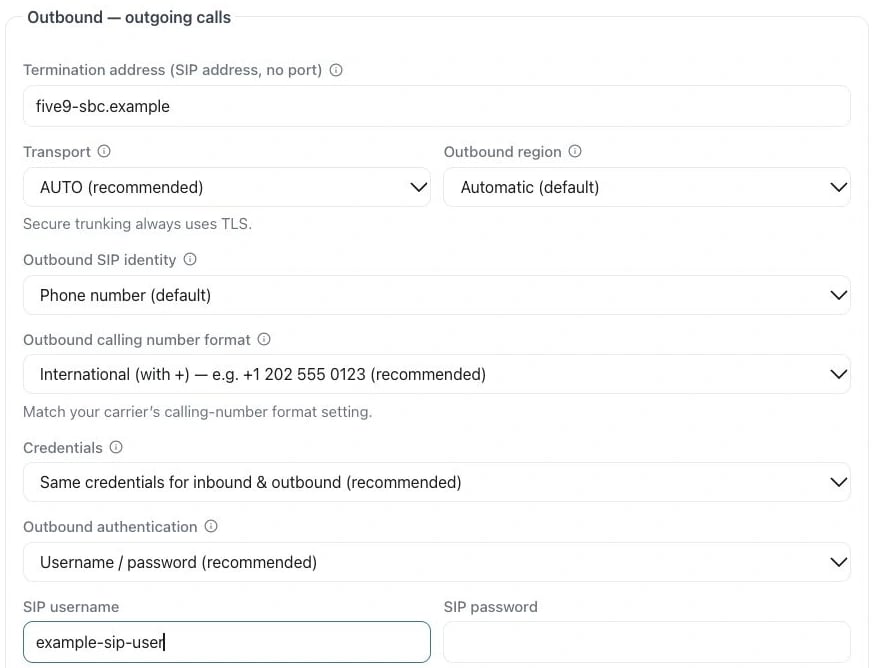
Example in the English app
- Termination address · Use the provider hostname from the setup above (Five9 SBC). Enter only the hostname, without a SIP prefix or port.
- Outbound authentication / SIP username / SIP password · Select Username / password when using Digest. Enter the SIP login and password from Digest.
- Only configure this direction when your provider has confirmed and provisioned it.
Configure Five9
- Ask Five9 to provision the Famulor SIP URI as a static destination on the SBC for the DID or campaign you want to route. Request the far-end host, signaling source IPs, transport and the called-number format.
- Enter the exact DID and the agreed inbound authentication in Add SIP integration. Use G.711 on the SIP path and attach the DID to an assistant. Confirm the supported SIP transfer method and the full destination URI with Five9 before enabling transfers.
- Test a call through the Five9 campaign or route, verify two-way audio, and test a transfer separately. Compare the Five9 and Famulor call logs if a 403 or an unexpected disconnect occurs.
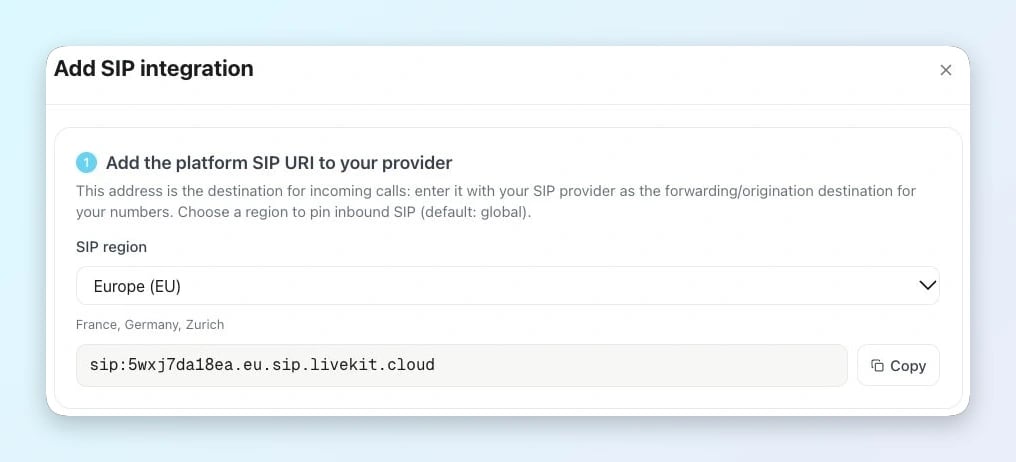
The SIP integration form provides the region-specific inbound destination.